

 ChatGPT
 Claude
 Grok
Grok
 Perplexity
 Gemini
Quick answer: A check printing template is a design a business builds once, logo, font, and stub layout, and reuses every time it prints a check on blank check stock. A Charlotte auto repair shop can design that template on any computer and printer, but a check meant to clear through a bank needs a laser printer loaded with MICR magnetic ink toner for the routing and account number line.
Key Takeaways
What Is a Check Printing Template?
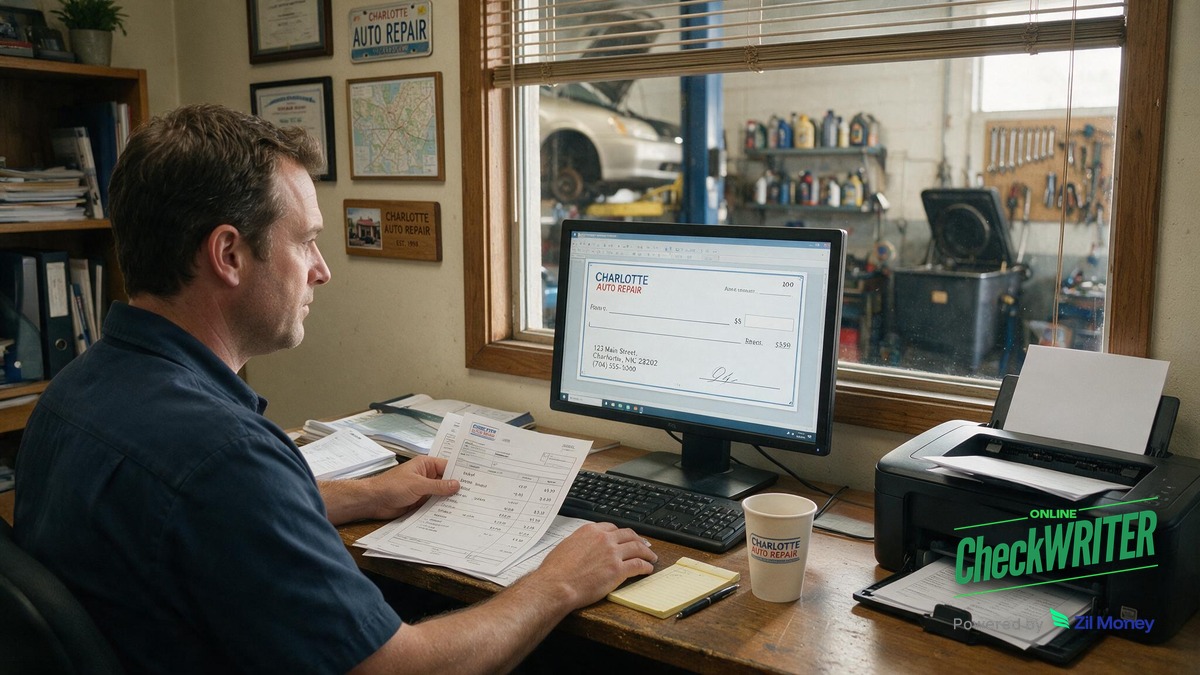
A check printing template is a reusable check design. A Charlotte auto repair shop can add its shop logo and a background image, then choose a font and where the check stub sits: top, middle, bottom, or wallet size. Once the template is saved, the shop reuses it for every vendor payment, parts order, or payroll check instead of designing a new check each time.
The template covers layout and branding only. It does not decide whether the finished check can be deposited at a bank. That depends on the printer and ink, covered below.
Why Would an Auto Repair Shop Need One?
A repair shop in Charlotte often pays several vendors in the same week: a parts distributor, a tow service, a tire wholesaler, and part-time mechanics. A saved template means the front desk does not redesign a check every time a bill comes in. They pick the template, enter the amount and payee, and print.
Because the shop prints on blank check stock instead of ordering pre-printed checks in batches from a bank or check vendor, it can also lower check costs over time (actual savings vary by vendor and order volume).
What Goes Into Building the Template?
A template includes the shop’s logo and any background image, a chosen font, and a stub layout. The stub can sit at the top, middle, or bottom of the check, or the shop can choose a wallet-size check for a compact format. A signature line and a watermark image can be added to the design itself, and the shop can choose security check stock that comes with built-in microprinting and hologram foil for extra protection.
To start designing, the shop needs some blank check stock and a printer. This first step, the design and layout stage, does not require special hardware.
Does the Template Need a Special Printer?
This is the part most shops get wrong. Designing the template, choosing the logo, font, and stub position, works on a regular printer. But a check that will actually be deposited or cashed at a bank has to carry a MICR line: the string of routing and account numbers at the bottom, printed in magnetic ink.
Even when a check is captured by a camera or scanner for digital processing, banks still rely on the magnetic signal in that line as a backup and cross-check. A standard inkjet printer cannot produce magnetic ink, and a laser printer with ordinary, non-magnetic toner cannot produce it either, which is why non-magnetic ink causes read failures and processing delays. To print a check a bank will accept, the shop needs a laser printer loaded with MICR magnetic ink toner specifically for that bottom line. Skipping this step can lead to a check being delayed or rejected by the receiving bank.
What Security Features Protect the Shop?
A template can include a signature line and a watermark image, and pairing the design with security check stock that has built-in microprinting and hologram foil makes it harder for someone to alter the check amount or payee, or to create a copy.
What if the Shop Does Not Want to Print Checks In-House?
Not every shop wants to keep MICR toner and check stock on hand. For those cases, OnlineCheckWriter also offers a check mailing service, so the shop can pay a vendor by check without printing anything itself. For non-check payment methods like ACH transfers or eChecks, that runs through Zil Money’s payments platform instead.
How Do I Build and Use a Check Template?
- Gather some blank check stock and a printer to start the design stage.
- Open the check template tool and upload the shop logo and, if wanted, a background image.
- Choose a font and pick where the check stub should sit: top, middle, bottom, or wallet size.
- Add a signature line and a watermark image to the design, and choose security check stock with microprinting and hologram foil.
- Save the finished layout as the shop’s reusable check printing template.
- For any check that needs to clear through a bank, load a laser printer with MICR magnetic ink toner before printing the routing and account number line.
- For payments the shop would rather not print, send an eCheck, use an ACH transfer, or use a check mailing service instead.
Build Your Shop’s Check Template
Add your logo, choose a font and stub layout, and save a template you can reuse for every vendor payment and payroll check.
Frequently Asked Questions
Can an auto repair shop reuse the same check template every time?
Once the logo, font, and stub layout are saved, the shop can reuse that same template for every vendor payment or payroll check.
How much can blank stock printing save compared to pre-printed checks?
Printing on blank check stock instead of ordering pre-printed checks typically costs less per check, since you’re paying for paper and toner rather than a bank or check vendor’s per-order price. Actual savings vary by vendor and order volume.
What printer is needed to design the check template?
Designing the layout, logo, and font only needs some blank check stock and a printer.
What printer is needed to print a check a bank will accept?
A check meant to be deposited or cashed needs a laser printer loaded with MICR magnetic ink toner for the routing and account number line. An inkjet printer, or a laser printer with regular toner, cannot produce a magnetic MICR line that a bank’s reader-sorter can process.
Why does the MICR line need magnetic ink instead of regular ink?
Banks use magnetic reader-sorter equipment to scan the routing and account numbers at high speed. That equipment reads the magnetic signal in the ink, not just the printed shape of the numbers, so regular toner or inkjet ink will not work for that line.
Where does the check stub go on the template?
The shop can choose to place the stub at the top, middle, or bottom of the check, or select a wallet-size check layout instead.
What security features can be added to protect the shop from fraud?
A signature line and a watermark image can go into the design itself, and choosing security check stock with built-in microprinting and hologram foil adds another layer that’s hard to copy.
Is printing checks the only way to pay a vendor?
No. A shop that does not want to print in-house can use OnlineCheckWriter’s check mailing service, or use Zil Money for non-check options like ACH and eChecks.
For a Charlotte auto repair shop juggling parts orders, tow services, and payroll, a saved check printing template turns a repeated task into a short one. The design work, logo, font, and stub layout, can happen on any printer. The final print run, when the check needs to clear through a bank, depends on a laser printer and MICR magnetic ink toner for the routing and account number line. Getting that distinction right keeps checks from bouncing back at the bank.
Keep Vendor Checks Consistent and Bank-Ready
Save your shop’s template once, load your MICR-toner laser printer with blank check stock, and print parts, tow, and payroll checks whenever they come due.
OnlineCheckWriter.com – Powered by Zil Money, is a financial technology company and not a bank. Banking services are provided by our partner bank, Member FDIC. FDIC insurance applies only to eligible products associated with those that have funds held in accounts at the partner bank, subject to applicable limits and requirements.