

 ChatGPT
 Claude
 Grok
Grok
 Perplexity
 Gemini
Quick answer: OnlineCheckWriter.com lets any US business design a check online, including a landscaping company in Sacramento paying for mulch, irrigation parts, or a subcontractor’s afternoon of work. The design and layout cost nothing, but the routing and account number line (the MICR line) has to be printed with magnetic ink on a laser printer to be machine-readable by banks, so a MICR-capable laser printer and toner are still a real, upfront cost. Printing checks on blank stock this way is a long-standing, bank-accepted practice under the Uniform Commercial Code, not something that needs a special legal exemption, though it’s worth confirming your own bank’s check-acceptance requirements before you start.
Key Takeaways
Can a Small Landscaping Business Really Print Checks at Home?
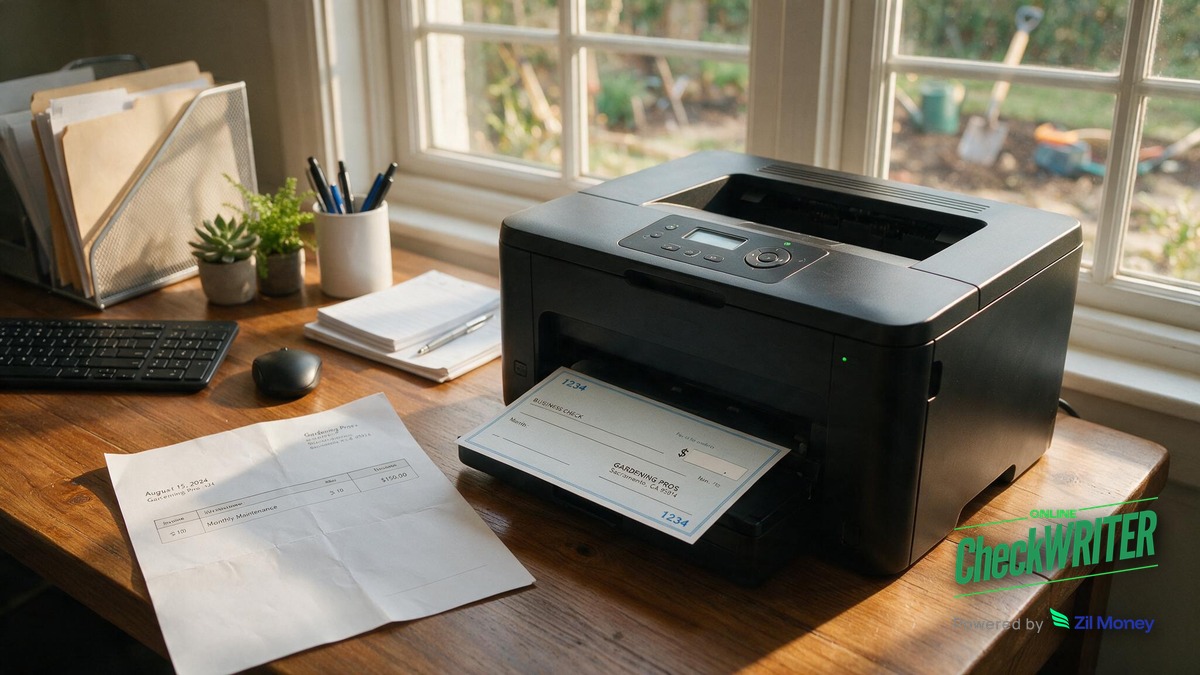
A landscaping company in Sacramento that pays for mulch, irrigation parts, or a subcontractor’s afternoon of work does not need to drive to a bank branch or order boxes of pre-printed checks. Check design software lets the owner build a check layout with the company logo and a chosen font, at no cost. That design is then printed onto blank check stock, using a laser printer loaded with magnetic MICR toner for the routing and account number line (more on why that specific printer matters below).
A crew working residential yards in Elk Grove, Folsom, or Natomas does not always have time to sit in a bank line. Whether it’s paying a local irrigation supplier on a Friday afternoon or covering a subcontractor after a big install, printing checks between jobs, from a laptop at a home office, keeps the paperwork moving without slowing down the landscaping work itself.
Is It Legal to Print Checks on Blank Stock Instead of Ordering Them From a Bank?
It is. Printing a properly encoded check on blank check stock, including from a home office, is a long-standing, bank-accepted practice rooted in the Uniform Commercial Code (Articles 3 and 4), which sets the rules for what makes a check valid and how banks collect and process it. This is different from the Check 21 Act (effective 2004), which governs how banks exchange check images and substitute checks with each other, not whether a business can print its own checks. A Sacramento landscaping company does not need a special legal exemption to start, but it is worth confirming your own bank’s specific check-acceptance requirements; the main things needed are the right blank check stock and, for the routing line, the right printer setup.
Does Printing Checks at Home Actually Save Money?
Ordering pre-printed checks from a bank or check vendor usually means paying per box, plus shipping and lead time. Printing on blank check stock instead means paying mainly for the paper and MICR toner you use, which is typically cheaper per check than the markup built into pre-printed boxes, especially once the printer and toner are already paid for. For a landscaping business paying a handful of suppliers and a couple of subcontractors each week, that difference adds up over a season, especially during the busy spring and summer months when payment volume goes up.
Can Any Regular Printer Produce a Bank-Ready Check?
This is where a lot of small business owners get tripped up, so it deserves a direct answer: a standard inkjet printer cannot produce a bank-compliant check, and neither can a laser printer loaded with regular black toner. The bottom line of a check, the string of numbers that identifies the bank routing number and account number, is called the MICR line (magnetic ink character recognition). Bank sorting equipment reads that line by its magnetic signal, following the ANSI X9.100 standard banks use to process checks, not just a visual scan.
For that line to be machine-readable, a landscaping company needs a printer built for MICR printing and magnetic toner or ink made for check printing, such as a TROY MICR-certified printer and toner cartridge. The check design, logo, and layout can be created and previewed on any printer. But the final check that gets deposited or cashed needs that MICR-capable laser printer setup. Skipping this step is a common reason a home-printed check gets delayed or rejected by a bank.
What Else Can a Landscaping Company Do With the Same Setup?
Once the printer and blank stock are ready, the same software usually handles more than single checks. A landscaping business can print payroll checks for crew members and connect the account to accounting tools like QuickBooks, Xero, or Zoho, so payments line up with the company’s books without double entry. This setup covers check printing and mailing; ACH, direct deposit, and wire transfers run through a separate payments setup.
How Does a Small Business Protect Itself From Check Fraud When Printing at Home?
Handing out paper checks for supply runs and subcontractor payments carries some fraud risk, the same as checks from any source. Positive Pay is a bank-level tool that matches every check presented for payment against the checks a business actually issued, flagging anything that does not match. For a Sacramento landscaping company writing checks to rotating vendors and seasonal help, that extra layer of verification is worth setting up alongside the printing process.
How Do I Set This Up?
- Open a check printing account and connect the business bank account the checks should draw from.
- Build the check design: add the landscaping company’s logo and choose a font.
- Buy blank check stock paper rated for check printing – this is different from regular printer paper.
- Confirm the printer setup: use a printer built for MICR printing, loaded with magnetic MICR toner or ink (such as a TROY MICR printer or toner cartridge) for the routing and account number line.
- Print a test check and review every field – date, payee, amount in numbers and words, and the MICR line – before printing final copies.
- Load the blank check stock into the laser printer and print the check for the vendor, subcontractor, or employee.
- Record the check number and amount in the accounting software so the books stay matched to what was printed.
Design Your Check
Build a check design with your logo in OnlineCheckWriter.com, connect your bank account, then print it on blank check stock with a MICR laser printer whenever a vendor or crew member needs to get paid.
Frequently Asked Questions
Do I need a special printer to print checks at home?
Yes. The design and layout work on any printer, but the MICR line only prints correctly on a laser printer loaded with magnetic MICR toner or ink, such as a TROY MICR-certified printer. A regular inkjet printer, or a laser printer with standard black toner, cannot produce that line correctly.
What is blank check stock?
Blank check stock is specially formatted paper made for printing checks, often with built-in security features. It is sold separately from regular printer paper and is what gets loaded into the MICR laser printer for the final print run.
How much can a landscaping company save by printing checks at home?
Printing on blank check stock instead of ordering pre-printed checks usually costs less per check, since you’re paying mainly for paper and toner instead of a per-box markup and shipping. For a business paying multiple suppliers and subcontractors each month, that difference shows up quickly once the printer and toner are paid for.
Can a home-printed check pay a subcontractor or crew member?
A check printed correctly on blank stock with a MICR-compliant laser printer works the same as a bank-issued check for paying subcontractors, suppliers, or payroll.
Is printing checks from home actually legal?
Yes. Printing checks on blank stock, including from a home office, is a long-standing, bank-accepted practice under the Uniform Commercial Code, not something that requires a special legal exemption. It’s still worth confirming your own bank’s check-acceptance requirements before you start.
What happens if the MICR line is printed with the wrong type of printer?
A bank’s check-reading equipment may not scan the routing and account numbers correctly, which can delay processing or cause the check to be rejected. This is why the laser printer and magnetic toner requirement matters more than any other part of the setup.
Is a laser printer with MICR toner expensive to set up?
Yes, a MICR-capable laser printer and magnetic toner cost more upfront than a standard printer and standard toner, sometimes significantly more. For a business printing checks regularly, though, it’s typically a one-time setup cost, compared to paying per box every time you reorder pre-printed checks.
How does Positive Pay help a business that prints its own checks?
Positive Pay compares checks presented for payment against the list of checks a business actually issued and flags mismatches, giving a small business an extra layer of protection when checks go out to a rotating list of vendors or seasonal workers.
Printing checks at home works well for a small landscaping business that needs to pay suppliers, subcontractors, and crew without the wait or per-box cost of ordering pre-printed checks. The design and setup are straightforward, but the printer matters: a laser printer with magnetic MICR toner is what makes the routing and account number line readable by banks. Getting that one detail right is the difference between a check that clears smoothly and one that gets kicked back.
Protect the Checks You Just Learned to Print
Printing your own checks means you control who gets paid and when, but you’re also watching for fraud on your own. Positive Pay flags any check that doesn’t match what you issued, so a Sacramento landscaping company can print with confidence.
OnlineCheckWriter.com – Powered by Zil Money, is a financial technology company and not a bank. Banking services are provided by our partner bank, Member FDIC. FDIC insurance applies only to eligible products associated with those that have funds held in accounts at the partner bank, subject to applicable limits and requirements.