
HubSpot Integration: Import Companies and Issue Checks Without Manual Work
Many businesses manage vendors, partners, and customers inside HubSpot, but still handle payments manually. The OnlineCheckWriter.com HubSpot integration closes this gap by allowing teams to import company data directly from HubSpot and use it for check payments. This integration helps businesses prepare payees, maintain accurate records, and support check payment workflows without re-entering data. It’s designed for finance and operations teams that want a reliable way to connect CRM data with payment execution.









OnlineCheckWriter.com- Powered by Zil Money is a fintech, not a bank. FDIC coverage is provided through our partner banks Texas National Bank and Lincoln Savings Bank.

How the HubSpot Integration Works (5 Simple Steps)
Connect HubSpot to OnlineCheckWriter.com in Minutes
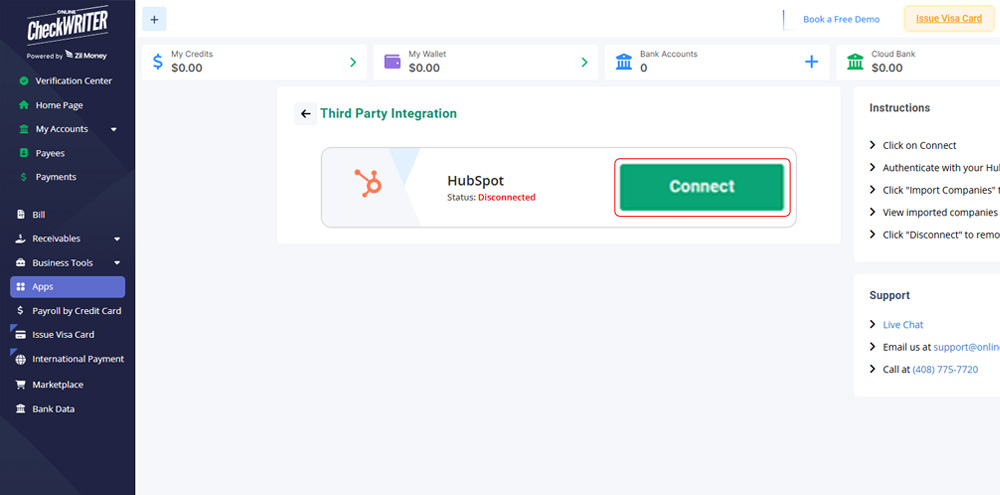
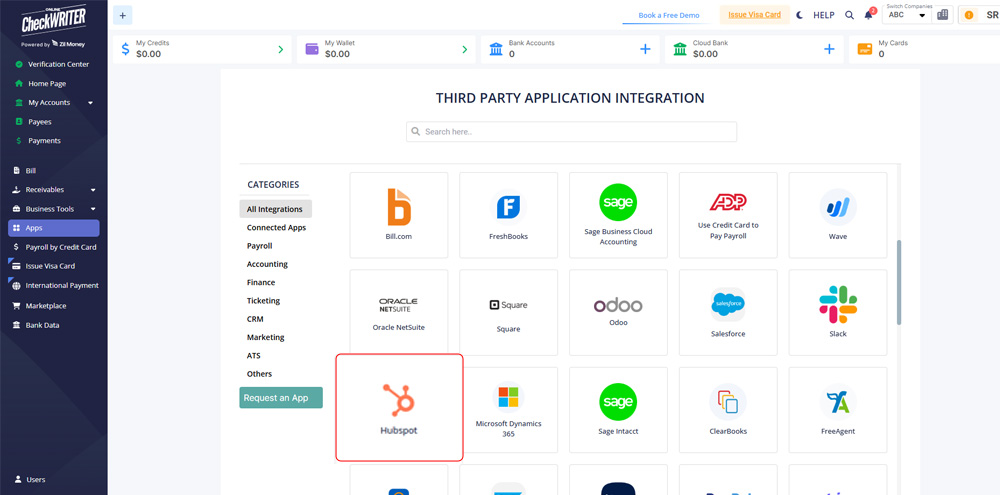
Step 1: Click Connect
Select Connect inside OnlineCheckWriter.com to begin the HubSpot integration.
Step 2: Authenticate with HubSpot
Log in using your HubSpot credentials to securely authorize access.
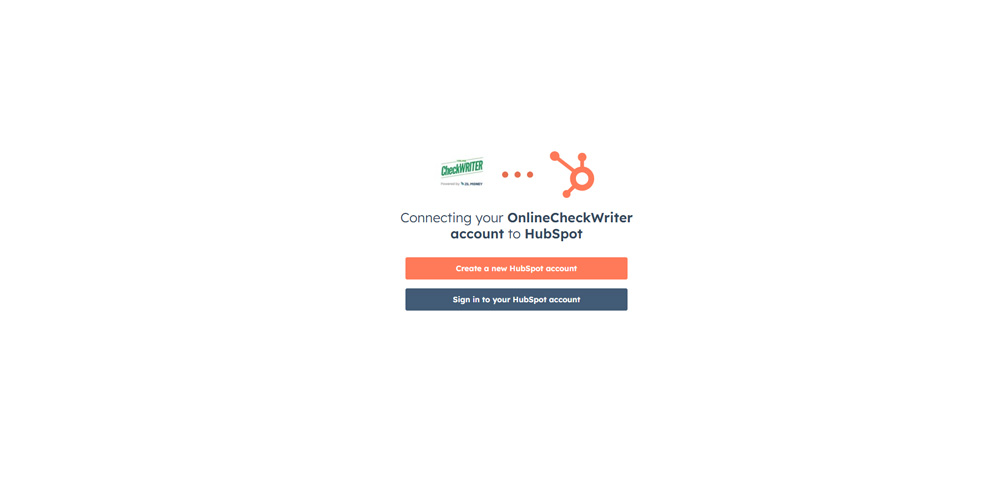
Step 2: Authenticate with HubSpot
Log in using your HubSpot credentials to securely authorize access.
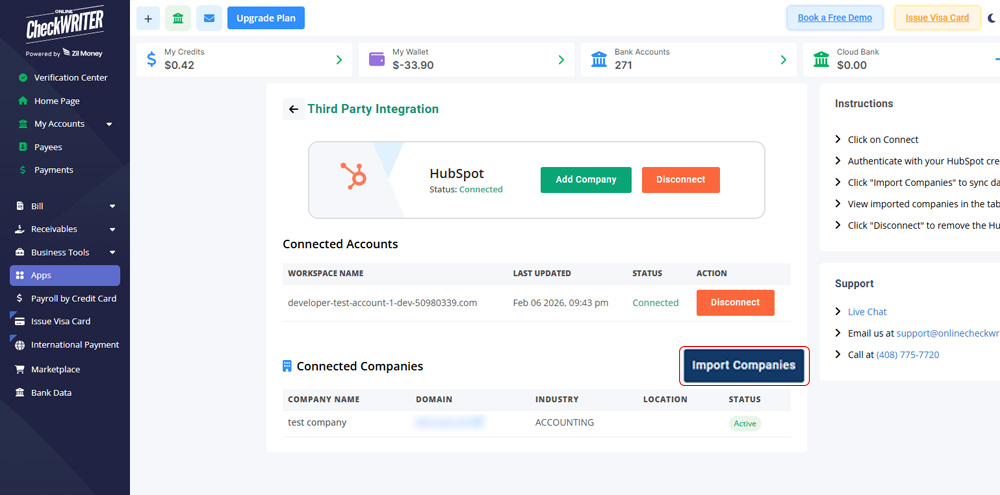
Step 3: Import Companies
Click “Import Companies” to sync company records from HubSpot into OnlineCheckWriter.com.
Step 4: Review Imported Companies
View imported companies in a structured table, ready to be used for check payments.
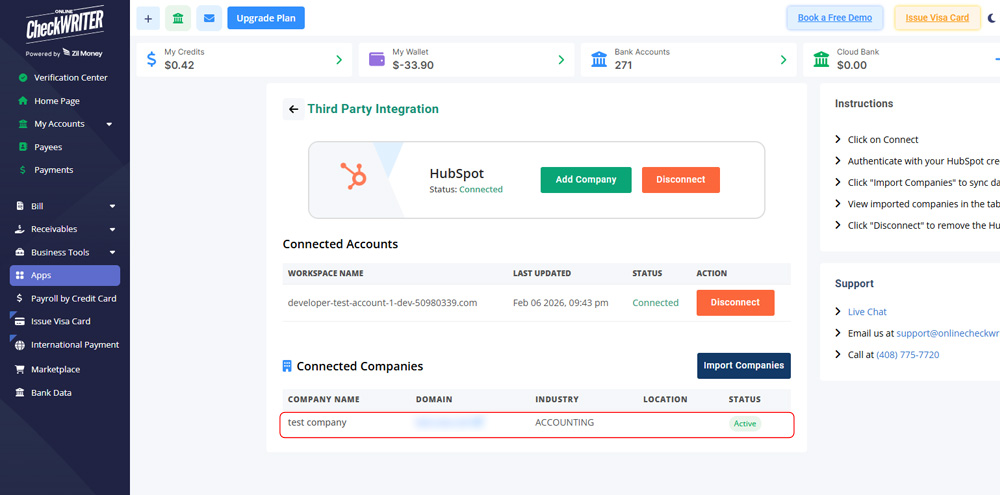
Step 4: Review Imported Companies
View imported companies in a structured table, ready to be used for check payments.
Step 5: Disconnect Anytime
You can disconnect the HubSpot integration at any time based on your access or workflow needs.

Easy To Access
Instant Access To Your Account Anywhere, Anytime.

High Security
Secured With Encryption, Fraud Detection, and Infrastructure.

Easy Payment
Efficiently Transfer Funds To Where They're Needed.
Turn HubSpot Data into Check Payments
Connect OnlineCheckWriter.com to HubSpot today and start importing company data in minutes. No credit card is required. Automate your check payment workflow and reduce manual work across teams.Get Started Now




Connect CRM Data Directly to Check Payments
This integration ensures company data stays consistent between HubSpot and your payment system. By importing companies directly from HubSpot, teams reduce data mismatches and speed up payee preparation. Finance teams gain confidence that payment records match CRM data, while operations teams avoid repeated manual entry. The result is a smoother CRM-to-payment workflow with fewer errors.


MULTIPLE FEATURES, ONE PLATFORM

CONNECT ANY BANK, PREVENT FORGERIES

OPEN A MODERN CHECKING ACCOUNT WITH ZIL US

Faster Payments with Better Data Control
The HubSpot integration allows businesses to use CRM data for real payment actions. Imported companies support faster payee creation, cleaner records, and easier check printing. Whether you’re paying vendors, service providers, or business partners, this setup scales with your organization while keeping payment operations simple and controlled.
FREQUENTLY ASKED QUESTIONS
Does this integration support faster payee creation?
Yes. Imported HubSpot companies can be quickly used when creating payees for check payments.
Can I choose when to import company data?
Yes. Company data is imported only when you choose, and the integration can be disconnected anytime.
Where do imported companies appear?
Imported companies appear in a structured table inside OnlineCheckWriter.com for easy review.
Can I print checks or have them mailed?
Yes. After payees are created, checks can be printed or mailed directly.
REVIEWS FROM ESTEEMED CUSTOMERS
I use Online Check Writer daily and I am satisfied that I selected that product

Danylo
Customer Support Lead at bafood
The practicality and ease of printing new checks. The platform is simply amazing. I can do everything, without having to travel to the place and having to spend hours in the online service.
Vanessa Silvestrin
Sales Manager at Crefisa
From the practicality and ease of being able to print new checks. The platform is simply incredible. I can do everything online, without needing to go anywhere and having to wait hours for service.
Karla
Administrative assistant at Sabin Medicina Diagnóstica