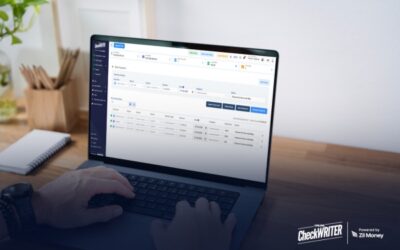
In the early days, paying a few vendors or a couple of freelancers is easy. You log in to your bank, send a transfer, and move on. But as you scale, that “one-off” task multiplies. Suddenly, you’re looking at fifty invoices, twenty-five payroll entries, and a dozen recurring supplier payments. If you’re still processing these one by one, your accounting department (or your own schedule) is likely hitting a breaking point.
To scale effectively, you need to stop working in your business and start working on it. The key to success for many high-growth companies? Bulk payments processing.
Click Here For Interactive Demo ⬇
The Solution: Bulk Payment Processing Software
This is where OnlineCheckWriter.com transforms the process. Instead of dealing with the complexities of traditional financial systems, you gain access to a centralized command center for your outgoing capital.
The platform allows you to upload a single spreadsheet and process up to 25 payments in one click. Whether you are paying employees, contractors, or local suppliers, you can do it all without leaving the dashboard. What used to take a grueling two hours is now condensed into a five-minute task.
A Single Platform for Every Method
One of the biggest hurdles in scaling is the diversity of vendor preferences. Some suppliers demand paper checks, while others want immediate wires. The cloud-based platform bridges this gap by offering:
- ACH Transfers: Cost-effective and reliable.
- Check Mailing: The platform prints and mails checks via USPS or FedEx for you.
- Wire Transfers: For those urgent, same-day needs.
- Virtual Cards: Perfect for controlled, secure corporate spending.
How Bulk Payment Processing Works: A Step-by-Step Guide
Transitioning from manual to automated bulk payments is simpler than most business owners realize. Here is how the workflow looks when you use a modern solution:
- Upload Your Payment List
You don’t have to manually type in names and numbers. You can import your data via Excel or CSV. Better yet, the platform syncs directly with industry-standard accounting software like QuickBooks, Xero, and Zoho Books. The system automatically maps payee names, amounts, and bank details, ensuring the data stays clean.
- Choose Your Payment Methods
Not every payment is created equal. For each batch, you have the flexibility to mix and match:
- ACH: Best for low-cost, 1-3 day settlements.
- Mail Checks: For those vendors who prefer a physical trail.
- Wire Transfers: For high-priority or large transactions.
- Virtual Cards: To manage subscriptions or department budgets with ease.
- Process Everything at Once
Once you hit “Process Payments,” the platform gets to work. It initiates ACH transfers, triggers the printing and mailing of physical checks, sends wires, and issues virtual cards, all simultaneously.
- Track and Reconcile
The job isn’t done until the books are balanced. You can monitor the status of every payment in real-time. You’ll know exactly which payments have cleared and which are pending. Because the platform syncs back to your accounting software, reconciliation happens almost instantly, eliminating month-end stress.