

 ChatGPT
 Claude
 Grok
Grok
 Perplexity
 Gemini
Blank check stock plus the right software beats ordering pre-printed boxes. Here is how to print blank checks online, on demand.
Key Takeaways
- Printing blank checks online means printing on plain blank check stock instead of ordering pre-printed boxes.
- The software adds your bank details and the MICR line, so the check clears normally.
- You print only what you need, when you need it, with no reorder wait.
- Blank stock is safer to store because it carries no account numbers until you print.
- OnlineCheckWriter.com, powered by Zil Money, works with your existing bank account.
When you print blank checks online, you stop depending on pre-printed checkbooks and start printing on plain check stock the moment a payment is due. No reorder, no waiting, no drawer full of pre-printed boxes to guard. Checks remain a target, too. The AFP found 63% of organizations were targeted through checks in a single year, more than any other payment type. Printing on blank stock, with the right controls, helps close that gap. With OnlineCheckWriter.com, powered by Zil Money, you print checks on blank stock from your existing account.
The Real Problems With Pre-Printed Check Boxes
Ordering pre-printed checkbooks feels normal, but the model works against you. Here is where.
- Reorder delays: You run low at the worst moment. The reorder ships in days, and a payment waits behind it.
- Wasted boxes: A new address, a new logo, or a bank switch turns a full box of pre-printed checks into scrap.
- Storage risk: Pre-printed boxes carry your account and routing numbers, so a drawer of them is a target.
- Fixed quantities: Pre-printed checks come in set batches. You buy ahead and store the surplus whether you use it or not.
- No issue-time controls: A plain box of checks offers no way to help catch an altered check later.
“Keep a stack of blank stock and print the check the moment you need it.”
How OnlineCheckWriter.com Lets You Print Blank Checks Online
Each fix below maps to a problem above, not to a feature list.
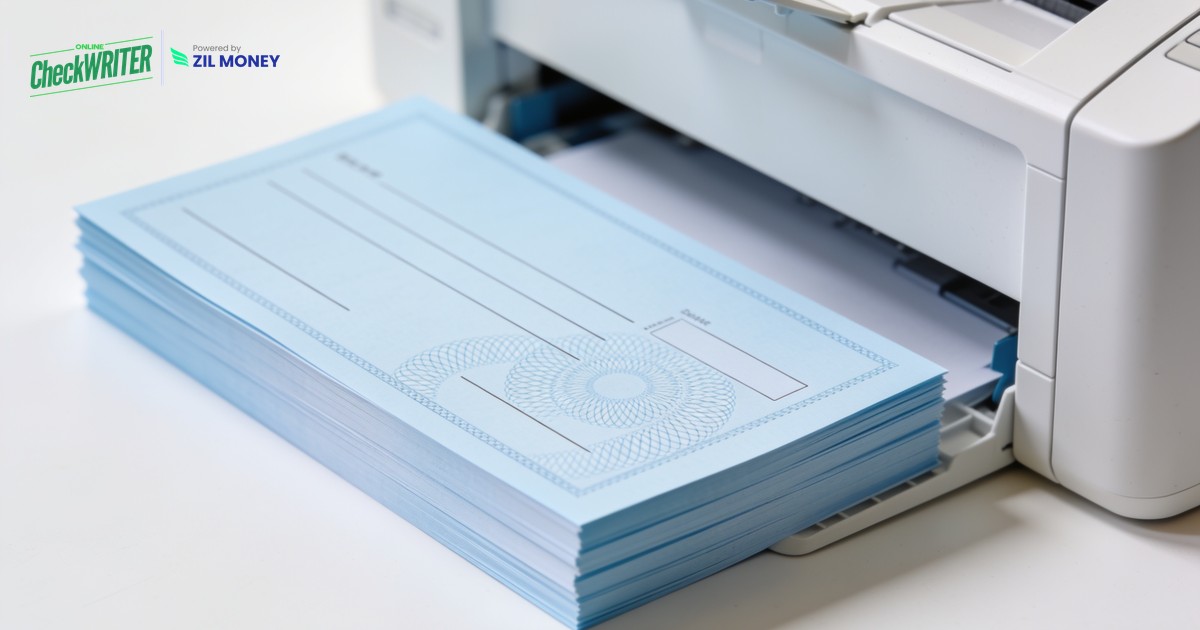
- Print on blank stock: You print checks on plain blank check stock with a laser printer. The software adds your bank details and the MICR line, so nothing needs pre-ordering.
- One editable design: Change your address, logo, or bank details in the software, and the next check reflects it. There is no old stock to throw away.
- Safer to store: Blank check stock carries no account numbers until you print, so a stray sheet is far less useful than a stolen pre-printed check.
- Add controls: Positive Pay matches each check you issue against what clears the bank, which helps catch an altered check. Role-based access limits who can create and approve payments.
- Print, mail, or go digital: Print in-house, let the platform handle check mailing, or send an eCheck by email.
Print Blank Checks Online, on Demand
Load blank stock, enter the details, and print a bank-ready check with the MICR line. Or let the platform mail it for you.
Why Printing Blank Checks Online Makes Sense
Checks are not disappearing, and they still move real money, so the way you produce them matters. The same AFP research shows checks draw more unwanted attention than any other payment method, which is exactly why printing on demand, with controls, beats a drawer of pre-printed boxes.
On-demand printing keeps you in control. You stop pre-buying inventory, stop waiting on couriers, and print only what a given day needs. You reach for blank checks printed as required, add Positive Pay and mailing, and keep a clean digital record of every check. Sign up today to see how it works.
Frequently Asked Questions
How do I print blank checks online?
Is a check printed on blank stock still valid?
What kind of paper do I need?
Is printing blank checks safe?
Can I also mail or email the check?
OnlineCheckWriter.com, powered by Zil Money, is a financial technology company and not a bank. Banking services are provided by our partner bank, Member FDIC. FDIC insurance applies only to eligible products associated with those that have funds held in accounts at the partner bank, subject to applicable limits and requirements.