

 ChatGPT
 Claude
 Grok
Grok
 Perplexity
 Gemini
Quick answer: To print checks at home, connect your bank account to OnlineCheckWriter.com, enter the payee and amount, then print on blank check stock. Use a laser or inkjet printer you already own. No pre-printed checkbook required.
Key Takeaways
What Do You Need to Print Checks at Home?
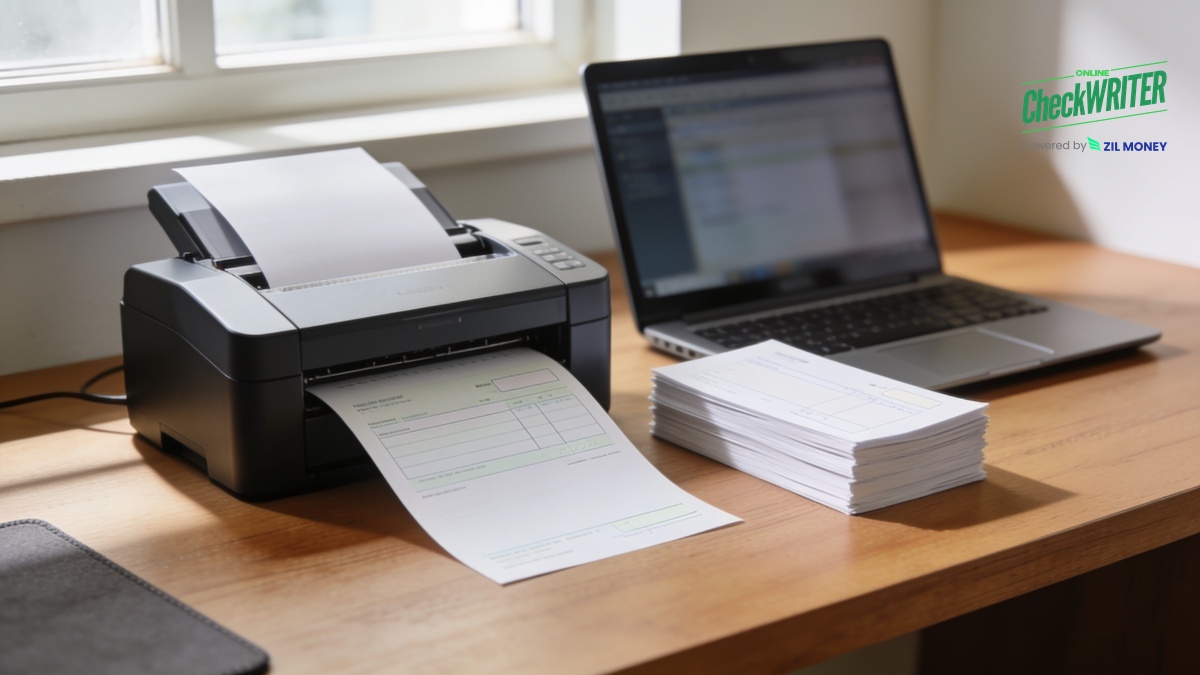
You need four things: a computer or phone, an OnlineCheckWriter.com account connected to your bank, a printer, and blank check stock. OnlineCheckWriter.com does not sell the stock itself. You buy it from an office-supply retailer, your bank, or another check-stock vendor, and it loads into a printer tray just like regular paper. Look for stock made for laser or inkjet printers, with a clear space at the bottom for the MICR line, most check-stock vendors sell it that way by default. No software to install beyond logging into your account. Store unused stock somewhere secure, the same way you’d store a checkbook, since a blank or misprinted sheet carries your real account and routing numbers.
How Do You Print a Check at Home, Step by Step?
- Sign up for an OnlineCheckWriter.com account and log in.
- Connect your bank account so your routing and account numbers print correctly on every check.
- Enter the payee name, the amount, and any memo you want on the check.
- Choose a check layout, or customize and save a template with your name, a logo, and a font style.
- Load blank check stock into your printer’s paper tray.
- Print the check on your own printer at home.
- Save the layout so you don’t have to rebuild it next time.
Review the payee name and dollar amount on your screen before you print. Catching a typo there takes a moment. Catching it after printing means setting that sheet aside and starting over. If you’d rather not hand the check over yourself, OnlineCheckWriter.com can print and mail it through its check mailing service instead, starting around $1.25 per check and more for faster delivery.
Which Printer Works Best for Printing Checks at Home?
Both a laser and an inkjet printer can typically produce a check a bank will accept, as long as the check stock meets standard bank specifications and the numbers print clearly. A laser printer with genuine magnetic (MICR) toner is generally the more reliable choice. That line of numbers along the bottom, called the MICR line, is built to be read magnetically at automated check-processing facilities. Most checks today clear through image-based, automated sorting rather than a magnetic read at every step, but those systems still scan that same line, so print quality matters either way. If you plan to print regularly on an inkjet printer, print a test check first and confirm the numbers along the bottom are sharp and fully formed. For more on how that line works, see our guide to the MICR line.
Ready to Print Your First Check at Home?
Connect your bank once, save your layout, and skip the wait and minimum order for pre-printed checks the next time you need one.
How Much Does It Cost to Print Checks at Home?
Pre-printed checks from a bank or check vendor usually come with a minimum order and cost more per check in small batches. Printing on blank check stock through OnlineCheckWriter.com starts around $0.80 per check, no minimum order and no wait for shipping. Compare that against your bank’s per-check price and reorder minimum to see which works out cheaper for your volume.
Frequently Asked Questions
What do you need before you start printing checks at home?
A computer, a bank connection, a printer, and check stock. That’s it. No software to install beyond logging into your account.
Which printer works best, laser or inkjet?
Both can work, but a laser printer with genuine MICR toner is the more reliable choice for the machine-readable line at the bottom of the check, since that line is built to be read at automated check-processing facilities. If you’re printing regularly on an inkjet printer, print a test check first and check that the numbers along the bottom are sharp.
Where do you get blank check stock?
From an office-supply retailer, your bank, or another check-stock vendor that carries stock made for laser or inkjet printers. OnlineCheckWriter.com does not sell the stock itself. A small starter pack is enough to test your setup before you order more.
How long does connecting my bank account take?
It’s a one-time step where you securely link your account through your bank’s login, the same way you’d connect a bank account to a budgeting or payments app. Once it’s linked, every check you print afterward reuses that same connection.
Can more than one person use the same account to print checks?
On the paid plan, you can add team members to the account, with role-based permissions, so more than one person can print checks from it. You stay in control of who’s added.
What if you make a mistake on a printed check?
Shred it, or cross out the account and routing numbers before you throw it away, since a misprinted check still carries your real bank details. Then print a new one from the same entry. Since you review the payee name and amount on screen first, most mistakes get caught before a sheet ever goes through the printer.
Will a bank accept a check you print at home?
Yes, as long as the check stock meets standard bank specifications and the routing and account numbers print clearly. Use check stock made for laser or inkjet printers from a reputable vendor, and a laser printer with genuine MICR toner for the most reliable read at automated check-processing facilities.
Do you have to hand over a printed check in person?
No. Mailing is an option at send time rather than a separate signup. OnlineCheckWriter.com will print and mail the check for you through its check mailing service, starting around $1.25 per check and more for faster delivery.
Keep a few sheets of check stock in the drawer, and you’re covered for the next time someone needs a paper check instead of a transfer. That’s really the whole system: one printer, one small supply run, done.
OnlineCheckWriter.com – Powered by Zil Money, is a financial technology company and not a bank. Banking services are provided by our partner bank, Member FDIC. FDIC insurance applies only to eligible products associated with those that have funds held in accounts at the partner bank, subject to applicable limits and requirements.