
Payroll By Credit Card QuickBooks
Pay Your Payroll With Credit Card On Time Without Affecting Cash Flow
Payroll By Credit Card QuickBooks helps you pay your employees on time when you are short of cash flow. Integrate QuickBooks, run payroll, import, and select Pay by card. You can charge all or part of payroll to your card, and funds are wired to your QuickBooks-connected bank account or to employees. You earn all your rewards on credit cards. You can enhance payroll and vendor payments with instant payroll cards, wires, same-day ACHs, push to any bank, print checks from multiple bank accounts to one blank check stock, send checks by USPS/FedEx, email one-time printable checks and more.
OnlineCheckWriter.com- Powered by Zil Money is a fintech, not a bank. FDIC coverage is provided through our partner banks Texas National Bank and Lincoln Savings Bank.




Using Credit Cards to Save Money on Business Expenses
Accepting payments by credit card isn’t just convenient—it can also support smarter expense management and healthier cash flow.
Cash-Back & Rewards Potential
Earn Value on Spending: Business credit cards such as the Capital One Spark Card offer up to 2% unlimited cash back, while the American Express Plum Card offers 1.5% unlimited cash back on eligible spending.
Offset Processing Costs: Cash-back rewards can help offset the 2.90% processing fee, reducing the overall effective cost of transactions.
Tax Considerations
Deductible Processing Fees: Credit card processing fees may be recorded as deductible business expenses, helping lower taxable income.
Additional Tax Advantages: Depending on jurisdiction and applicable tax regulations, businesses may qualify for additional tax benefits when using credit cards for expenses.
Improved Cash Flow Control
Extended Payment Window: Credit cards typically provide a 30–45 day payment window, giving businesses additional time to manage outgoing payments.
Better Capital Timing: During this window, funds can remain available for operational needs or short-term revenue-generating activities.
Detailed Example: Capital One Spark Card
Process Fee: Standard credit card processing applies (2.90%)
Cash Back: Cash-back or rewards may reduce the effective cost (2%)
Tax Break: Processing fees may be recorded as business expenses (0.06%)
Final Fee: The overall cost can be lower than it appears at first glance (0.35%)
Additional Benefit: 30–45 days of payment flexibility supports cash flow planning.Actual fees, rewards, and benefits vary based on card issuer and usage.
Floating Revenue from Bank
Short-Term Cash Utilization: Funds retained in your bank account during the 30–45 day credit card cycle may earn interest or be used for short-term revenue opportunities.
Strategic Capital Use: The float period allows businesses to deploy capital more effectively for urgent expenses or growth opportunities.
Why This Matters
Accepting credit card payments gives you speed, flexibility, and financial control—without changing how your customers pay.
Additional Resources
Explore how accepting payments by credit card helps you get paid faster, improve cash flow visibility, and simplify payment management - without adding complexity.
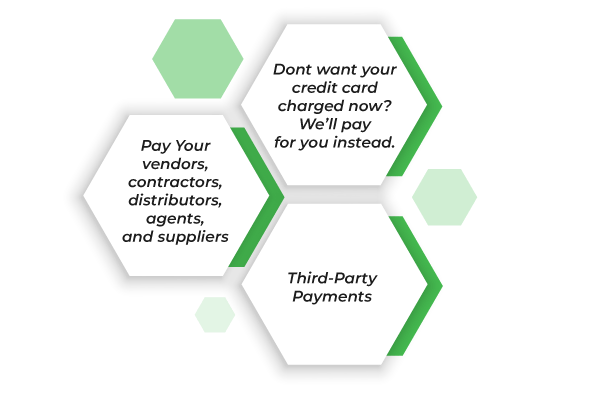
You Can Use Your Card to Pay Any Business

Taxes
Rent
Insurance
Mortgage
Raw materials
And more






Payroll by Credit Card
You can streamline your cash flow when you are short or when you need more. Manage payroll efficiently with OnlineCheckWriter.com payroll by credit card QuickBooks integration. When you use your credit card, you can earn reward points. Additionally, you can use your credit card to process payments faster during critical times. Managing payroll processing with a credit card is convenient and flexible.


Enhance cash flow
Use your credit card to cover expenses to free up cash flow.

Gain greater Rewards
Earn card rewards for transactions that don’t accept cards.

Time critical
Purchase goods and services that need to be paid right away.

Early payment discounts
Earn rewards on your card while capturing early-pay discounts from vendors.







Provide vendor information and payment details.
You may schedule or make a payment and we will charge your credit card for the amount of the payment (Normal credit card charges of 2.90% applies).

You can decide how the payee get paid: Check, Wire or ACH
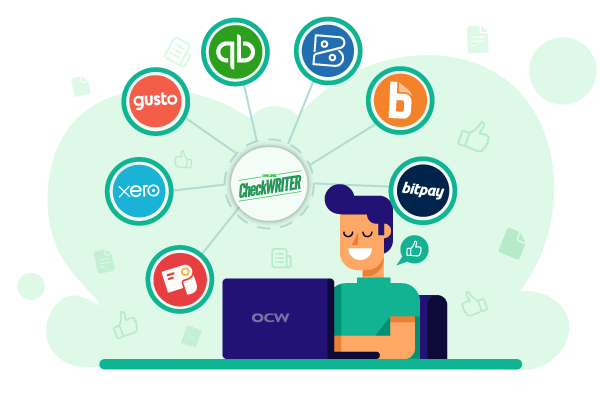
Integration with Banks and Accounting Software
Payroll by credit card online with OnlineCheckWriter.com is easy with QuickBooks integration. Transactions can be recorded with bank reconciliation solutions, and checks can be printed from different banks. It will also prevent unauthorized checks from hitting your account.
In a similar way, integrating your accounts with accounting software such as ADP, Gusto, and Zoho helps you stay on top of your finances. As a result, you can easily import checks from the software to OnlineCheckWriter.com and print checks from there!

FREQUENTLY ASKED QUESTIONS
How to manage payroll for a small business?
Make sure the payroll complies with IRS, correctly categorizes employees, meets the accounting deadlines, and selects software that suits your business. Expert payroll management is now possible with OnlineCheckWriter.com.
What is a payroll check?
A payroll check refers to a check written to an employee for a set number of hours worked. You can print payroll checks that can be processed using OnlineCheckWriter.com.
Where can I buy payroll check paper?
Buy payroll check paper at Office Depot, Office Max, or Walmart, or go to OnlineCheckWriter.com to create and order checks online.
Payroll Check vs Personal Check
A payroll check is written by an employer to their employee and is drawn from a business account, whereas a personal check is simply a check from a personal account to make a personal payment. You can print both payroll and personal checks effortlessly using OnlineCheckWriter.com.