

 ChatGPT
 Claude
 Grok
Grok
 Perplexity
 Gemini
Updated August 2026
Quick answer: Yes, a small business can legally print its own checks instead of waiting on a mail-order checkbook. To do it right, you need a laser printer loaded with magnetic ink (MICR) toner, MICR-compliant blank check stock, and check-printing software that formats the routing number, account number, and check number line correctly. Skip the laser printer and magnetic toner and your bank’s reader-sorter equipment may not read the check, even if it looks fine on paper.
Key Takeaways
- Printing your own business checks on blank stock is legal. No federal rule requires a check to come from a pre-printed checkbook, and the same check-collection rules (Regulation CC) apply either way.
- The MICR line at the bottom of a check needs magnetic ink or toner and a laser printer. A standard inkjet printer, or a laser printer loaded with ordinary toner, will not produce a bank-readable line, which usually means delays and a re-encoding fee, not a silent bounce.
- Ordering pre-printed checks can mean waiting three to five days for the mail, which is a problem when a supplier or subcontractor needs payment today.
- Blank check stock with built-in security features (watermark, chemical-sensitive fibers, microprint border) helps deter alteration and counterfeiting.
- If you don’t want to own and maintain a MICR-capable laser printer, a check-printing service can format and print compliant checks for you.
Can a small business really print its own checks instead of ordering a checkbook?
Yes. A business can print its own checks on blank check stock instead of relying on pre-printed checkbooks. Banks process a check based on what is physically encoded on it, not on who printed it or where the paper came from. As long as the check carries a correctly formatted MICR line, the right routing and account numbers, and standard check dimensions, a bank treats it like any other check presented for payment.
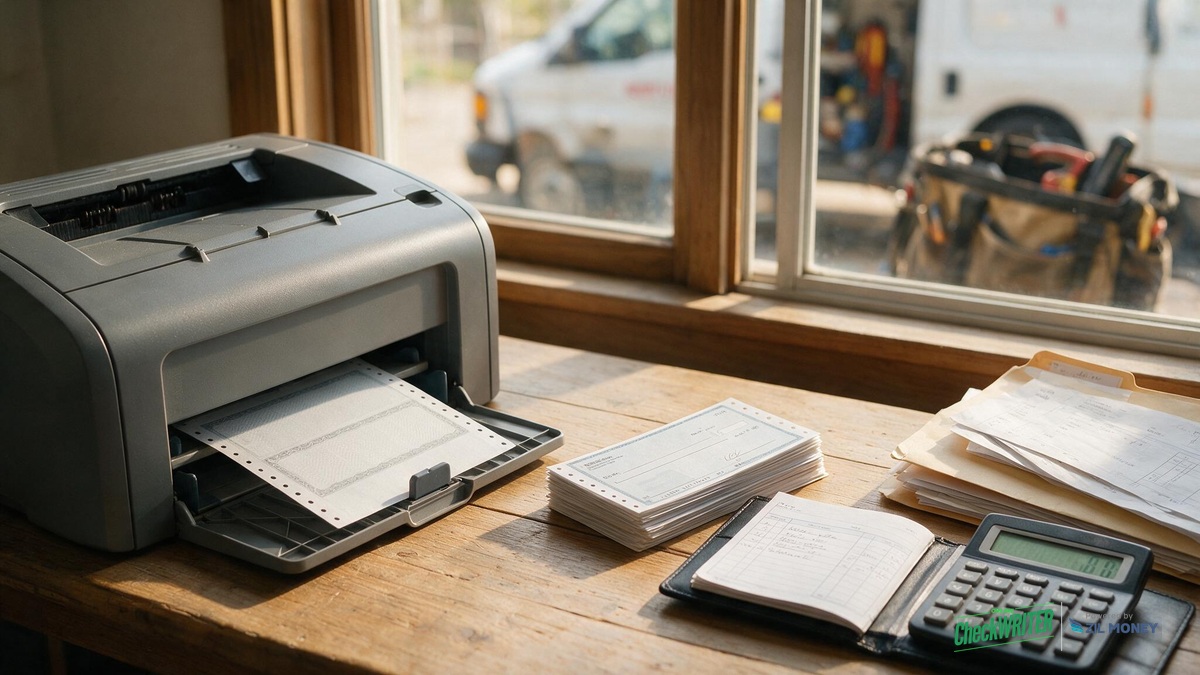
Take a typical example: Dave runs a two-truck HVAC and plumbing business out of a converted garage office in Spokane, Washington. Most weeks he writes checks to a parts supplier, a sheet-metal sub, and whichever apprentice picked up overtime. For years he ordered pre-printed checkbooks. For years he ran out at the worst possible time.
Do banks accept checks you print yourself?
Banks accept self-printed checks every day. Payroll services, accounting software, and check-printing platforms all produce checks the same way: on blank or lightly pre-printed security stock, run through a laser printer that lays down a magnetic ink character recognition (MICR) line.
No federal regulation requires a check to be pre-printed. The Federal Reserve’s Regulation CC governs how banks handle check collection, holds, and funds availability, and those rules apply the same way whether a check is pre-printed or printed in-house. Correct MICR encoding decides whether a bank’s equipment accepts the check on the first pass. Reader-sorter and image-capture systems both rely on it. Get the encoding wrong and the usual result is a processing delay or a re-encoding fee, not an automatic rejection.
What do you need to print a compliant check?
You need two specific things, not just any printer and any paper. Get either one wrong and the check comes back unprocessed.
| What you need | Why it’s required |
|---|---|
| Laser printer | Inkjet ink isn’t magnetic, so the reader-sorter can’t scan it. There’s no workaround. |
| Magnetic ink (MICR) toner | A laser printer loaded with ordinary, non-magnetic toner has the same problem as an inkjet. The reader-sorter scans for a magnetic signal, not a visual pattern, so the numbers can look perfect and still fail to read. |
If you already own a laser printer for the office, you still need a MICR toner cartridge dedicated to check printing. TROY is the name most check-printing suppliers point to for MICR toner and MICR-ready laser printers, though other MICR-certified brands exist too. Mixing regular toner into a check-printing job, even once, can produce a check your bank rejects.
Want the MICR line and blank-stock templates handled for you instead of buying this hardware yourself? See how OnlineCheckWriter formats a compliant check.
What blank check stock and security features should you use?
Blank check stock is not the same as copy paper. Real check stock includes security features designed to help deter someone from altering the payee name or the amount after you print it.
| Security feature | What it stops |
|---|---|
| Visible or reactive watermark | Photocopied or scanned counterfeit checks |
| Chemical-sensitive fibers | Ink erased or altered with solvents (shows a visible stain) |
| Microprint border | Blurs when photocopied, exposing a fake |
| Toner-adhesion coating | Toner being scraped off and the amount or payee changed |
| VOID/COPY pantograph (a hidden pattern printed into the background) | Reveals a “VOID” or “COPY” warning across the check when someone photocopies or scans it |
Dave keeps his blank stock locked in a filing cabinet drawer in the garage office, not stacked on the desk next to the printer. Anyone who gets hold of unprinted check stock could, in theory, write themselves a check on your account. Treat blank stock the way you would treat a signed check, because functionally it is one step away from becoming one. Ask your bank if it offers Positive Pay. It flags any check that doesn’t match the check numbers and amounts you have on file, so you’re covered if stock ever goes missing.
How do you print a compliant business check, step by step?
- Confirm with your bank that it accepts checks printed on blank security stock (most do, since this is standard practice for business accounts).
- Set up a laser printer with a dedicated magnetic ink (MICR) toner cartridge, separate from your everyday office toner.
- Order MICR-compliant blank check stock sized to standard business check dimensions, with security features built in.
- Use check-printing software or a service that formats the payee name, amount, memo line, and MICR line to your bank’s exact specifications.
- Print one test check and check the routing number, account number, and check number position against a check you already know clears. If it doesn’t scan cleanly, confirm you’re using true MICR toner, not a refilled or generic cartridge, and that the stock is loaded straight in the tray.
- Log the check number, date, payee, and amount before you hand it over. Enter the same details in your accounting software (QuickBooks, Xero, or similar) so your books match your bank statement.
- Store unused blank stock in a locked drawer or cabinet.
- Mark any voided or misprinted check “VOID” across the signature and MICR line, and log it as void in your check register so the number sequence stays intact.
- Shred voided or misprinted checks instead of tossing them in the trash, since the account and routing numbers are still readable.
How does printing on demand compare to ordering pre-printed checkbooks?
| Factor | Pre-printed checkbook orders | Printing on demand |
|---|---|---|
| Lead time per order | Around three to five days by mail | Print on demand once your MICR printer and stock are set up |
| Running out mid-job | Common, and you wait on the next shipment | Reload blank stock and reprint right away |
| Equipment needed | None beyond a pen | Laser printer with MICR toner |
| Updating your address or logo | Reorder the entire box | Update the template and print the next batch |
| Multiple trucks or job sites | Separate checkbooks to track and reconcile | One digital record for every check you print |
What mistakes do contractors make with blank check stock?
A few mistakes show up again and again with mobile trade businesses that switch to printing their own checks.
- Printing on the wrong stock weight. Stock that is too thin or too thick can jam a laser printer or feed the MICR line off position, which throws off the read.
- Losing track of check numbers across two printers. If you print from the office and from a laptop in the truck, two check runs can accidentally use the same check number. Assign each printer or location its own non-overlapping number range, or use one centralized digital record that assigns numbers across every location automatically, rather than relying on memory to keep them in sync.
- Printing “just this once” on plain paper. A single check on the wrong stock, even with the right numbers, can come back from the supplier’s bank unprocessed.
- Reusing voided check stock. A voided check should be shredded, not set aside for scratch paper, since the MICR line and account numbers are still readable.
Skip the MICR Setup Yourself
Format a bank-compliant check without owning a MICR printer, and print one whenever a sub or supplier needs paying.
Is a self-printed check as secure as a pre-printed one?
A self-printed check on proper security stock can be as secure as a pre-printed one, provided you follow the same controls a bookkeeper would use for any checkbook. Three habits keep it that way:
- Log every check. Keep a written or digital record of the check number, date, payee, and amount before it leaves your hands.
- Lock the blank stock. Store unprinted check stock in a drawer or cabinet, not out on a desk.
- Reconcile monthly. Match every printed check against your bank statement the same way you would with pre-printed checks, so a mistake or a missing check gets caught fast.
Should your business switch to printing checks on demand?
There’s a real cost either way. Buying your own laser printer, MICR toner, and blank stock is an upfront cost plus occasional stock reorders. Using a check-printing service instead trades that upfront cost for an ongoing fee, with no hardware to own or maintain. Which one costs less depends on how many checks you print and how much your time is worth.
| Your situation | Better fit |
|---|---|
| Single location, low check volume, rarely run out | Pre-printed checkbook |
| Pay subs or suppliers on tight timelines, run out mid-job | Printing on demand |
| Multiple trucks or job sites | Printing on demand |
| Update your address, logo, or bank details often | Printing on demand |
| Want zero hardware to own or maintain | A check-printing service (no in-house MICR setup) |
For more on why the MICR line has to be readable when you batch-print checks yourself, see this guide to batch-printing MICR-compliant checks without in-house hardware, using a school-district scenario as an example: MICR line on a check, batch-print without hardware.
Frequently Asked Questions
What is a MICR line?
The MICR line is the string of numbers along the bottom of a check, printed in magnetic ink, that encodes the routing number, account number, and check number so a bank’s reader-sorter equipment can scan it automatically.
Is it legal for a small business to print its own checks?
Yes. No federal regulation requires a check to be pre-printed. A check with a correct MICR line on compliant blank stock is processed the same way as a pre-printed one, and the same check-collection rules (Regulation CC) apply either way.
What printer do I need to print MICR checks?
A laser printer loaded with magnetic ink (MICR) toner. The magnetic signal in the toner is what lets a bank’s reader-sorter equipment scan the routing and account numbers.
Can I use my regular office inkjet printer?
No. Inkjet ink has no magnetic properties, so a bank’s automated equipment cannot read the MICR line even if the printed check looks correct to the eye.
Do I need to tell my bank before I start printing my own checks?
Most banks do not require advance notice, but it is worth a quick call to confirm your bank accepts checks printed on blank security stock, especially the first time you switch away from pre-printed checkbooks.
What size should blank check stock be?
Standard business check stock follows the check-printing standards set by the Accredited Standards Committee X9 (ANSI X9.100). Most business check stock runs three checks to a letter-size page, so each check ends up roughly 8.5 inches wide and between 3.5 and 3.7 inches tall depending on the layout, matching what your bank’s reader-sorter and image-capture equipment expects.
Can I print checks from a laptop, or does it need to stay at one office computer?
Yes, as long as the software and a MICR-ready laser printer are set up correctly wherever you print. Assign each computer or truck its own non-overlapping check number range, or use one centralized digital record, so two locations never use the same check number by accident.
What if I don’t want to manage a laser printer and MICR toner myself?
A check-printing service can handle the MICR formatting and compliant blank-stock templates for you, so you print or send a check without owning dedicated hardware.
Stop Waiting on a Checkbook to Pay a Vendor
Set up your account once, then print or send a check to a supplier or a sub whenever you need to, without waiting on a mailed checkbook.
OnlineCheckWriter.com – Powered by Zil Money, is a financial technology company and not a bank. Banking services are provided by our partner bank, Member FDIC. FDIC insurance applies only to eligible products associated with those that have funds held in accounts at the partner bank, subject to applicable limits and requirements.