

 ChatGPT
 Claude
 Grok
Grok
 Perplexity
 Gemini
Quick answer: A MICR line is the row of characters along a check’s bottom edge that encodes the bank routing number, account number, and check number so a bank’s equipment can read it automatically. It only works if you print it in magnetic ink or toner on a laser printer. A regular inkjet printer, or a laser printer loaded with standard toner, cannot produce a bank-readable line. For a Kansas City school district running hundreds of vendor and payroll checks in one batch, that printer/toner requirement is the single most common reason a check gets flagged or returned. Before your next batch run, confirm your printer and toner are MICR-rated, or have OnlineCheckWriter.com format and print the batch for you, see the QC checklist below.
Key Takeaways
What Is the MICR Line on a Check?
The MICR line is the row of stylized characters along the bottom edge of a check. MICR stands for Magnetic Ink Character Recognition, and it holds three fields: the bank’s 9-digit routing number, an account number (length set by the district’s bank, often up to 17 digits), and the check number, typically 3 to 4 digits and matching the number printed in the upper-right corner. (For the full breakdown of the font and each symbol in the line, see the MICR line format and font guide; this guide focuses on running a large, auditable batch, not the spec itself.) A bank’s reader-sorter equipment scans this line to route and clear the check without a person keying anything in by hand. The Federal Reserve outlines this check-clearing process under Regulation CC. For a Kansas City school district’s business office, this is the line that decides whether a payroll or vendor check clears without delay or gets kicked into manual review.
Why Would a Bank Flag or Return a Check?
When a bank rejects or manually reviews a check, the MICR line is the most common cause, and it is almost always one of four things: the wrong printer or ink, a smudge or fold across the bottom band, a mistyped routing or account digit, or a mismatch against the district’s positive pay file. A district issuing several hundred vendor and payroll checks in one run only needs one of those problems to show up on a handful of checks for the whole batch to slow down. An unreadable MICR line and a positive pay mismatch are two separate problems. A bad line gets pulled for manual keying by the bank’s operations staff. Positive pay separately compares each check’s number, dollar amount, and (on some accounts) payee against the file the district already sent. If that manual keying step introduces an error, the check can then also fail the positive pay match. Sloppy print quality on a large batch creates two chances to get flagged, not one.
Does an Inkjet Printer Work for a MICR Line?
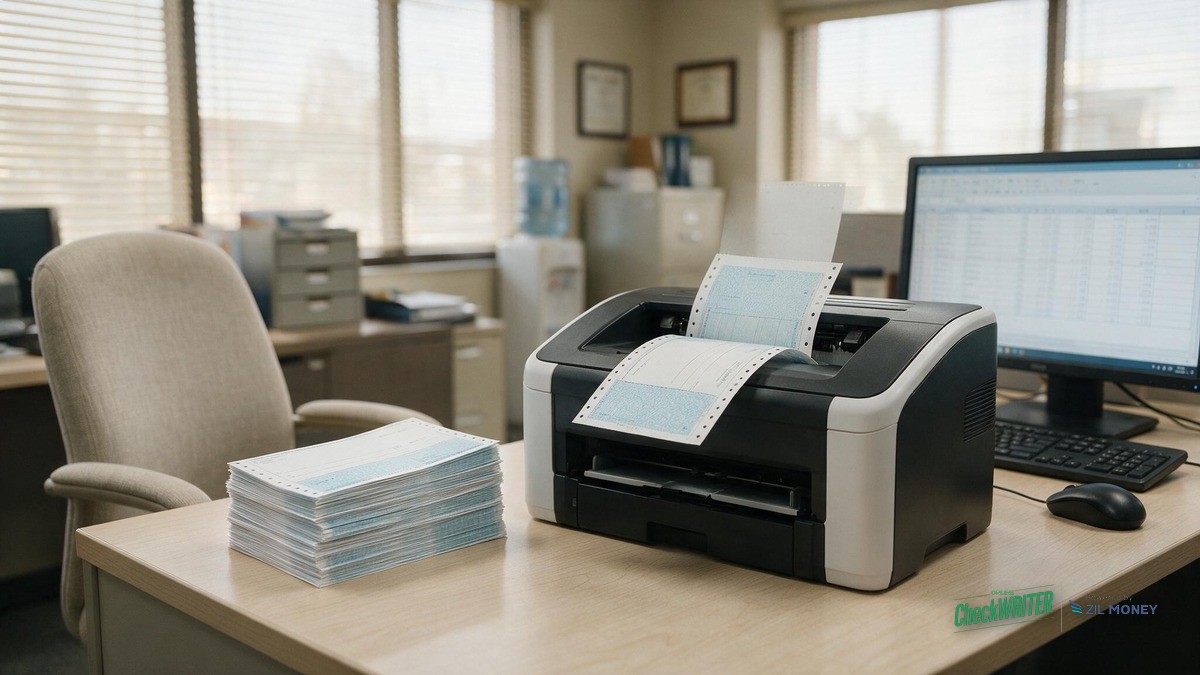
No. Printing a compliant MICR line requires magnetic ink or toner and a laser printer, because the bank’s reader-sorter equipment detects the line magnetically, not just optically. A standard office inkjet printer cannot lay down a magnetic line at all, and a laser printer loaded with ordinary, non-magnetic toner has the same problem even though the numbers look identical on the page. A district that has been printing checks on whatever printer is closest at hand in the business office may have checks that look fine and still fail to read at the bank. If your district does not already own MICR-capable laser hardware and magnetic toner, printing and mailing checks through a service that formats and prints the MICR line for you takes that hardware requirement off your business office.
| MICR Field | What It Contains | Typical Length |
|---|---|---|
| Routing number (transit field) | The 9-digit ABA number identifying the district’s bank | 9 digits |
| Account number (on-us field) | The specific account the check draws from; length is set by the bank | Often up to 17 digits |
| Check number | Matches the number printed in the upper-right corner | Typically 3-4 digits |
| Amount field | Captured during bank processing, not printed by the district | Added at processing |
How Should a District QC a Batch Before Printing It?
A single test check catches most problems before they reach hundreds of vendors or a payroll run. Before releasing a full batch, run through this on one printed check:
- Pull a voided check or a recent bank statement so the real routing and account numbers are in front of you.
- Print one test check on blank check stock instead of starting the full batch.
- Compare the routing number, account number, and check number on the test check against the voided check, digit by digit.
- Check that the MICR line sits inside the reserved bottom band, with no signature, stamp, or logo crossing into it.
- Look at print quality. The characters should be solid and dark, not thin or faint from low or non-magnetic toner.
- Confirm the check number on the MICR line matches the check number in the upper-right corner.
- Once the test check checks out, release the rest of the batch to print or mail.
How Does MICR Accuracy Fit a District’s Approval and Audit Workflow?
Most school district check runs already move through more than one set of hands before a check goes out. A bad MICR line is one of the more common reasons a legitimate check fails the bank’s positive pay match. That’s why MICR accuracy belongs in the same workflow as approval and sign-off, not off to the side as a printer problem:
| Step | Who | Action | What Gets Logged |
|---|---|---|---|
| 1. Approve pay run | HR / payroll | Confirms amounts and payees | Approval date and approver ID |
| 2. Build check batch | Business office | Formats the MICR line, assigns check numbers | Check number range |
| 3. Second sign-off | Treasurer or board finance officer | Authorizes release of the batch | Signer name and date |
| 4. Send positive pay file | Business office | Sends the file to the bank before its same-day cutoff | Confirmation timestamp |
Most banks only protect checks presented that day if the positive pay file arrives before a cutoff time, so a district running a large batch needs step 4 to happen the same day the checks go out, not the next morning. Keeping this log gives the business office a clean answer if the state auditor asks how a payroll or vendor run was controlled, without hand-signing or hand-checking every check in the batch.
Stop Managing MICR Toner In-House
OnlineCheckWriter.com formats the routing, account, and check number line automatically, and can print and mail your district’s vendor and payroll batches for you.
What Does a District Need to Print MICR-Compliant Checks In-House?
Printing in-house takes three things: a laser printer rated for MICR use, magnetic MICR toner in stock (not standard black toner), and blank check stock instead of pre-printed checkbooks. Most office supply stores sell check stock in voucher and standard formats. That is a real, ongoing hardware and supply cost, and a cartridge running low mid-batch or a printer swap that nobody flagged is exactly how a MICR line quietly stops reading. A district that would rather not carry that hardware and toner budget can print checks in large batches through OnlineCheckWriter.com instead, which formats the MICR line for you and can also mail the finished batch, or use its check design tool that formats the MICR line for you so the routing, account, and check number are placed correctly every time without manual entry. Account and routing data entered into the platform is handled the same way as any other banking detail on the account, behind the login and permission controls the district’s own admin sets for its staff.
Frequently Asked Questions
What three numbers are on the MICR line?
The routing number (9 digits), an account number set by the bank (often up to 17 digits), and a check number (typically 3-4 digits, matching the number in the upper-right corner), printed left to right in a magnetic font a bank’s equipment can read. The bank captures a fourth field, the amount, during processing.
Can a school district use a regular office inkjet printer or standard laser toner for check runs?
Neither works. An inkjet printer cannot lay down a magnetic line at all, and standard black laser toner prints numbers that look correct but read the same as inkjet to a bank’s equipment: not magnetic. Printing a compliant line requires magnetic MICR toner specifically, loaded in a laser printer.
How does a bad MICR line affect positive pay?
Positive pay is a bank service that matches each check’s number, dollar amount, and sometimes payee against a file the district already sent listing checks it issued. It is a separate check from reading the MICR line: an unreadable line usually gets pulled for manual keying by the bank first, and if that step introduces an error, the check can then also fail the positive pay match and get held until the district confirms it.
What causes a MICR line to fail on an otherwise correct check?
The usual causes are non-magnetic ink or toner, a smudge or fold across the bottom band, a signature or stamp crossing into the reserved area, or a mistyped routing or account digit.
Is it legal for a school district to print its own checks?
Generally yes, as long as the MICR line is encoded correctly with magnetic ink or toner on a laser printer so the bank’s equipment can read it. No federal banking rule requires buying pre-printed checkbooks from a bank or check printer, though a district should confirm its own bank agreement and state procurement rules before changing how it prints checks.
Do we need to buy MICR-capable hardware to keep issuing checks?
Not necessarily. A district can own a MICR-capable laser printer and magnetic toner and print in-house, or use a service like OnlineCheckWriter.com that formats the line and can print and mail the batch, which removes the hardware requirement from the business office.
Does this work with the accounting software a district already uses?
OnlineCheckWriter.com offers integrations with accounting tools such as QuickBooks, so payee and amount details can pull from records the business office already keeps instead of being typed in twice for a large batch.
A Kansas City school district issuing payroll and vendor checks by the hundreds does not need to become an expert in E-13B fonts or magnetic toner chemistry. It needs the routing number, account number, and check number to read correctly every single run, and a way to catch a bad line before it reaches the bank instead of after. Whether that means keeping MICR-capable hardware in the business office or handing the batch to a service that formats and prints it, the line itself has to be right, or the check does not clear.
Get Your District’s MICR Setup Right
See how routing, account, and check numbers are formatted for you, and print or mail a full batch without buying MICR toner.
OnlineCheckWriter.com – Powered by Zil Money, is a financial technology company and not a bank. Banking services are provided by our partner bank, Member FDIC. FDIC insurance applies only to eligible products associated with those that have funds held in accounts at the partner bank, subject to applicable limits and requirements.