

 ChatGPT
 Claude
 Grok
 Perplexity
 Gemini
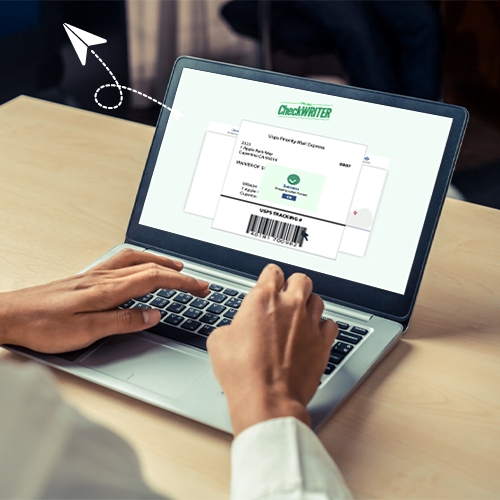
In today’s fast-paced business world, simplicity is key. With the check printing software, users can instantly create and print mailing label. Say goodbye to traditional complexities and embrace a user-friendly approach. This ensures precise package labeling and paving the way for flawless deliveries. Experience a hassle-free transition from intricate traditional methods to a smoother approach that guarantees accurate package labeling and efficient deliveries.
Effortless Shipping Label Creation
OnlineCheckWriter.com – Powered by Zil Money empowers users to effortlessly design and print mailing labels with just a few clicks. This efficient process eliminates the hassles associated with traditional labeling methods, allowing users to focus on what matters most – their business. Say goodbye to time-consuming processes and hello to a simplified approach that ensures accurate and efficient shipping label creation.
Business Optimization Beyond Labels
OnlineCheckWriter.com goes beyond simplifying shipping label creation. It’s committed to making your overall business operations smoother. By allowing companies to link multiple bank accounts, the platform becomes a centralized hub for managing various business activities. Moreover, the software optimizes payroll management, enabling you to print or send paychecks to all employees with a single click. This multi-functional feature truly optimizes your business processes in more ways.
Centralized Control for Businesses
Linking multiple bank accounts on OnlineCheckWriter.com – Powered by Zil Money provides businesses with centralized control. From printing checks and deposit slips to sending eChecks and managing payrolls, the software ensures a comprehensive solution for financial activities. With a focus on simplicity, it’s a one-stop solution for businesses aiming to improve their financial processes and achieve greater control over their operations.
Smooth Connectivity for Efficient Operations
Connecting bank accounts for check printing and various financial transactions isn’t the only perk. This platform facilitates efficient connectivity, offering features like pay by credit card, sending and receiving payments through eChecks, and providing payment links. This smooth connectivity ensures that your business operations are simplified and optimized for enhanced efficiency.
In Conclusion: Simplify Your Shipping Label Process
In conclusion, the cloud-based platform stands as a reliable ally in simplifying your shipping label creation process. Beyond that, it offers a suite of features to improve and optimize various aspects of your business. Say goodbye to complexity and embrace a user-friendly platform that empowers your business to thrive in today’s dynamic market. With this platform, simplicity is the key to success.