

 ChatGPT
 Claude
 Grok
Grok
 Perplexity
 Gemini
Quick answer: A check generator is an online tool that lets a business enter a payee, amount, date, and bank account details, then print or mail a finished paper check without keeping pre-printed checkbooks on hand. OnlineCheckWriter’s check generator lays that information into standard check format with a bank-readable MICR line.
For an HVAC company like the one Dana runs in Little Rock, Arkansas, that means a technician or a parts supplier can get paid the same day a job wraps up. One requirement does not change: a check meant for bank deposit still needs that MICR line printed with magnetic ink toner on a laser printer, not a standard inkjet.
Key Takeaways
What Is a Check Generator, and Is It a Real, Legal Check?
A check made with a check generator is a real, legal check. It is not a copy or a placeholder. Under check law, a check is a negotiable instrument, which means it is a signed, written order telling your bank to pay a specific amount to the payee, the same as any other check. It is valid as long as it carries accurate account information and a signature from someone authorized on the account.
Whether it actually clears is a separate question that comes down to available funds in the account. An unfunded check is still a legally enforceable one, not a fake, though it can bounce and trigger fees.
Dana runs Dana’s Heat & Air, a four-technician HVAC company in Little Rock, Arkansas. She prefers generating a check online instead of handwriting one at the shop counter. A tech finishes an emergency repair on a Saturday. The parts supplier wants payment before the truck leaves for the next job. Typed fields and a saved payee list beat digging through a checkbook, and they cut out the guesswork that comes with rushed handwriting.
What Information Does a Check Need to Be Valid?
A check needs a short list of fields. Missing the payee, amount, date, signature, or a readable MICR line can get a check rejected at the bank:
- The payee’s full name, spelled correctly
- The dollar amount written twice, once in numbers and once in words
- The date the check was issued
- An authorized signature
- The bank’s routing number and the account number, printed as a MICR line
A check number is not required for the bank to honor a check, but skipping it makes the payment much harder to track and reconcile later.
The MICR line at the bottom of the check is not just a formatting detail. It carries the bank’s routing number, the account number, and the check number itself, all encoded so a bank’s equipment can read it magnetically. The Federal Reserve’s Regulation CC separately governs how quickly a bank must make deposited funds available and how checks move through the collection process. A misread MICR line does not break Regulation CC, but it can trigger a manual review and delay your funds.
Can You Print a Bank-Ready Check on Any Printer?
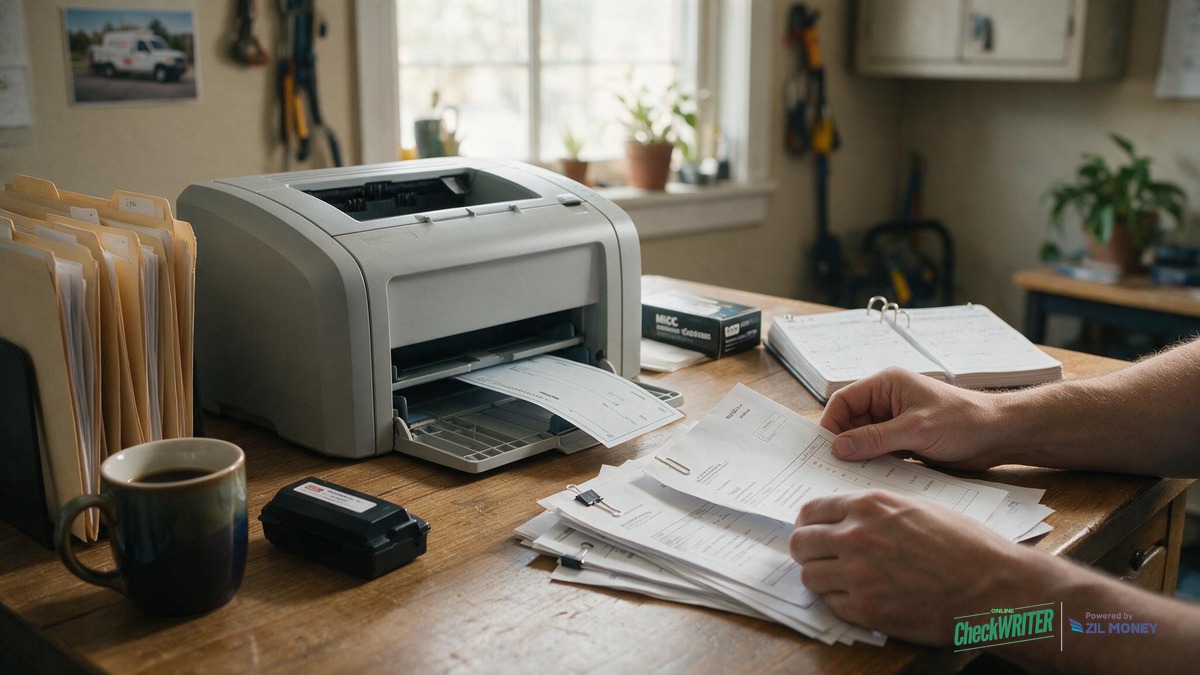
No. This is the part most check generator tools skip over, and it causes real problems. You must print the MICR line at the bottom of a check with magnetic ink or toner, using a laser printer. Bank check readers scan that line magnetically, not just visually, so the ink itself needs iron oxide particles that a standard inkjet cartridge does not contain.
Print a MICR check on a plain inkjet printer, and the line may look fine to the eye but won’t read correctly on bank equipment. That means a delayed deposit, a manual review, or in some cases a rejected check. If Dana’s shop wants a check that clears without a hitch, it needs a laser printer loaded with MICR-compliant toner, printing on check stock built for that purpose.
For the basics of how a check generator helps a small business handle payments day to day, see OnlineCheckWriter’s overview of how a check generator can help small business owners.
What You Need Before You Generate a Check
| Item | Required or Optional | Why It Matters |
|---|---|---|
| Laser printer | Required for bank deposit | Only a laser printer can fuse magnetic MICR toner onto the page. |
| MICR-compliant toner cartridge | Required for bank deposit | Regular toner will not read on a bank’s magnetic check reader. |
| Blank check stock built for MICR printing | Required for in-house printing | Plain copy paper is not built to hold a magnetic line cleanly or resist alteration the way check stock is. |
| Routing and account numbers on file | Required | Needed to build an accurate MICR line for the account the check draws from. |
| Authorized signature on file with your bank | Required | A digital or facsimile signature only holds up if your bank has already agreed to accept it for that account. |
| Memo or job reference | Optional (recommended) | Helps a supplier match the payment to the right invoice. |
How to Generate a Check Online: Step-by-Step
- Log in to OnlineCheckWriter and select or add the payee, such as a technician, subcontractor, or parts supplier.
- Enter the amount, the date, and a memo tied to the job or invoice number so the payment is easy to trace later.
- Review the routing and account numbers against your actual bank statement before moving forward.
- Choose to print the check in-house on a laser printer loaded with MICR-compliant toner, or have it mailed directly to the payee with a trackable delivery method so you can confirm it arrived.
- Run one test check to confirm the MICR line prints clean before running a full batch (in-house printing only).
- Record the check number in your books and match it to the job or invoice once it clears. Export it to your accounting software, such as QuickBooks or Xero, if it is connected.
Skipping the test print in step five is how a shop finds out a toner cartridge has gone bad only after several checks are already printed and unreadable.
Generate Your Next Business Check Now
Build your check layout once, then fill it in and print or mail it whenever a technician or supplier needs to get paid.
Handwriting vs. Pre-Printed Stock vs. an Online Check Generator
| Method | Error Risk | Speed for a Same-Day Payment | Record-Keeping |
|---|---|---|---|
| Handwriting a check | Higher, misreads and voided checks are common | Fast if a checkbook is on hand | Manual, easy to lose track of a check number |
| Pre-printed checkbook | Lower, but stuck if you run out | Depends on having stock left | Manual ledger, an inventory to reorder and store |
| Online check generator | Typed fields and a saved payee list remove common mistakes like transposed digits | Print in-house right away, or queue it for mailing (mail delivery time depends on the postal service, not the tool) | Every check is logged automatically, so reconciling against the bank statement does not rely on a handwritten ledger |
What Mistakes Should You Avoid When You Generate a Check?
- Printing a check meant for deposit on a plain inkjet printer instead of a laser printer with MICR toner
- Leaving the memo line blank, so a supplier cannot match the payment to an invoice, a slip that is easy to make when a shop juggles several job invoices from the same supplier
- Copying a routing or account number from an old voided check instead of the current one, which is an easy slip when paying the same supplier again a few weeks later
- Forgetting to log a misprint as void, which creates a gap when you reconcile the bank statement
- Skipping a signature or having someone sign who is not authorized on the account
- Reusing a check number that has already been issued
- Not placing a stop payment with your bank right away if a mailed check is lost, stolen, or comes back altered
Is It Safe to Enter Bank Account Details Into a Check Generator?
Typing a routing and account number into a website feels risky the first time, and that hesitation is fair. Here is what to check before you trust a tool with your business bank account:
| Look For | Why It Matters |
|---|---|
| Encrypted storage for account data | Keeps routing and account numbers out of a shared spreadsheet or a sticky note at the front counter. |
| Role-based access for staff | Lets a shop with more than one technician set only one or two people as the ones who can finalize a check before it prints or mails. |
| A record of every check generated | Makes it possible to spot a duplicate or altered check number during reconciliation. |
Print or Mail Your Next Business Check Today
Every check you generate gets a digital record you can match against the bank statement later, whether you print it in-house or send it for mailing.
Frequently Asked Questions
What is a check generator, exactly?
A check generator is an online tool where you enter a payee, amount, date, and account details, and it lays that information out in the standard check format with a machine-readable MICR line. You can then print or mail the finished check.
Can you print a check from a check generator on any printer?
No. A check meant for bank deposit needs a MICR line printed with magnetic ink toner on a laser printer. A standard inkjet printer does not lay down magnetic ink, so the line may not read correctly on bank equipment.
Is a check made with an online check generator legal to deposit?
Yes. It is a real, legally valid check as long as it carries accurate routing and account numbers, a signature from someone authorized on the account, and a correctly printed MICR line. Whether it clears without a hitch still depends on having enough funds in the account, the same as any check.
Which details do you need on hand before you generate a check?
You need the payee’s name, the amount, the date, your bank’s routing and account numbers, and an authorized signature. A memo or job reference is optional but makes it easier for the payee to match the payment to an invoice.
How do you keep bank details safe when using a check generator online?
Use a tool that encrypts account data in transit and at rest, and limit which staff members can view, generate, or approve checks. Avoid keeping routing and account numbers in a shared spreadsheet.
How does blank check stock differ from pre-printed checks?
Pre-printed checks come from the bank or a printer with your account details already fixed on the page, one payee layout per box. Blank check stock is unprinted paper built for MICR printing, so a check generator can print any payee, amount, and account onto it as needed.
Why would an HVAC or trades business use a check generator instead of ordering pre-printed checks?
Trades businesses often need to pay a technician, subcontractor, or supplier the same day a job finishes. A check generator removes the wait on reordering a checkbook and lets the business print or mail a check as soon as the amount is known.
How do you fix a check that printed with a mistake?
Mark the check void in your records right away and destroy the printed copy so it cannot be used. Then generate a new check with the correct details rather than trying to alter the misprinted one.
OnlineCheckWriter.com – Powered by Zil Money, is a financial technology company and not a bank. Banking services are provided by our partner bank, Member FDIC. FDIC insurance applies only to eligible products associated with those that have funds held in accounts at the partner bank, subject to applicable limits and requirements.