

 ChatGPT
 Claude
 Grok
Grok
 Perplexity
 Gemini
OnlineCheckWriter.com – Powered by Zil Money is not affiliated with, endorsed by, sponsored by, or operated by Wells Fargo. Wells Fargo is a trademark of Wells Fargo & Company. This article explains how to create and print your own business checks using your Wells Fargo account and routing numbers, with independent check-printing software.
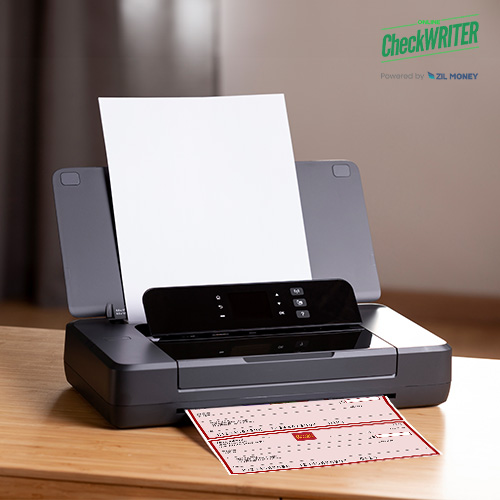
Need a business check today and do not want to wait on a reorder? You create and print the check yourself: enter your Wells Fargo account and routing numbers, add the payee and amount, and print it on blank check stock with a compatible office printer.
Key Takeaways
- You create and print the check yourself, using your Wells Fargo account and routing numbers, on blank check stock, without waiting on a bank order.
- Enter the routing number, account number, and payment details, then print. No preprinted checkbook is required.
- Printing your own MICR line requires magnetic MICR toner, not regular ink or toner.
- A self-printed check’s validity comes from UCC Articles 3 and 4 and your account agreement, not from Check 21.
- Compare printing costs (stock, toner, plan) against reordering costs (quantity, design, shipping) before you decide.
- OnlineCheckWriter.com is an independent check-printing platform. It is not affiliated with Wells Fargo.
Can You Create and Print Your Own Wells Fargo Checks?
Yes. You create and print the check yourself using OnlineCheckWriter’s software. Wells Fargo does not create, issue, or process the check through OnlineCheckWriter. You simply enter your Wells Fargo account and routing numbers, and you must be the account holder or an authorized signer on that account.
Before issuing a live check, confirm the routing number, account number, check-number sequence, bank information, paper size, layout, MICR setup, and signature. Use your account records or confirm the details directly with Wells Fargo.
Is Printing Cheaper Than Ordering Checks?
There is no universal cheapest option. The better choice depends on your check volume, how many accounts you use, the printing equipment you already have, and how soon you need the check.
Printing costs typically include your check-printing plan, blank check stock, magnetic MICR toner, printer supplies, and optional mailing. Ordering costs typically include the number of checks, the design and security options, shipping, and any replacement order after your business details change.
Printing may fit businesses that issue checks often, use several accounts, or need a check before a new order arrives. Ordering directly from the bank may fit businesses that write very few checks and would rather not manage blank stock or printer supplies. See how business check printing compares across account types.
What You Need Before Printing
Prepare your setup before a payment becomes urgent. You will need your Wells Fargo account and routing numbers, a compatible office printer, blank check stock that matches your layout, magnetic MICR toner when you print the MICR line yourself, an approved check template, and your signature as the account holder or an authorized signer.
Do not treat ordinary copy paper as a safe default. Your check must meet the paper, dimension, and processing requirements that apply to your account.
“A check you print the moment you need it beats one you ordered weeks ago and are still waiting on.”
How to Create and Print Your Own Wells Fargo Check
- Select the account: Add or choose the Wells Fargo account the payment draws from. Review the account name, routing number, account number, and starting check number.
- Set up the layout: Choose a check template in the check printing software that matches your blank check stock. Add your business name, address, logo, bank details, and signature, then print an alignment test.
- Enter or import the payment: Add the payee, amount, date, check number, and memo, or import several approved payments through a supported CSV file or accounting integration.
- Review and approve: Confirm the account, payee, amount, date, check number, routing and account numbers, and signature. Route the payment to an assigned reviewer when approval controls are enabled.
- Print or mail: Print the check you created on blank check stock with a compatible office printer, or choose check mailing to have it printed and sent for you.
Ready to Create Your First Check?
Add your Wells Fargo account, pick a layout, and create and print your own check on blank stock today, or let the platform mail it for you.
Why the MICR Line Matters
The MICR line is the group of numbers printed near the bottom of a check. It commonly contains the routing number, account number, and check number. Banks use this line during processing, so the numbers must be accurate, readable, and correctly placed.
When the MICR line is already preprinted on your check stock, you can print the payee, amount, date, and other details with regular toner. When your printer creates the MICR line itself, you must use magnetic MICR toner. Do not use ordinary toner as an equivalent. Bank processing equipment and the standards referenced in the Federal Reserve’s payment systems framework expect a compliant, magnetic MICR line.
A nonmagnetic, unreadable, or poorly positioned MICR line can cause processing problems. The bank may reject the check or apply correction and handling charges. Confirm your numbers, turn off automatic page scaling, print an alignment test, and make sure no field is cut off before you print a live check.
What Makes a Printed Check Valid?
Printing a check yourself does not automatically make it valid or invalid. UCC Article 3 covers negotiable instruments, including checks, and UCC Article 4 covers bank deposits, collections, and the agreement between a bank and its customer.
In practice, a check should be authorized by the account holder or an authorized signer, identify the paying bank, direct payment of a fixed amount, be payable on demand, and contain accurate payment and account information. Check 21 is not the legal reason a self-printed original check is valid. It mainly supports electronic check processing and substitute checks.
Your Wells Fargo account agreement may set its own requirements for paper stock, dimensions, bank identification, security features, and equipment processing, so confirm your agreement’s terms before you rely on self-printed checks. This information is general and is not legal advice.
Add Controls Before Issuing Checks
Limit account access to authorized users, keep check creation and approval separate when possible, and protect saved signatures. Keep blank check stock in a controlled location and track check numbers in sequence. Compare issued checks against account activity and confirm any payee change through a trusted contact method, not just an email or text.
Use a new check number when you replace a check instead of reusing the old one, so a Positive Pay match or your own reconciliation does not flag a conflict. When your Wells Fargo account supports Positive Pay, follow the bank’s current submission, matching, and exception-review requirements.
No check-printing or payment-control process can prevent every type of unauthorized activity. Your business remains responsible for reviewing users, accounts, payees, amounts, approvals, and issued checks.
Frequently Asked Questions
Can I create and print my own Wells Fargo checks?
Is it legal to print my own check?
Do I need MICR toner?
Can I use any printer?
Can I order checks directly from Wells Fargo instead?
Learn more about how to create and print business checks online, including check layouts, approval steps, batch printing, and mailing options.
OnlineCheckWriter.com, powered by Zil Money, is a financial technology company and not a bank. Banking services are provided by our partner bank, Member FDIC. FDIC insurance applies only to eligible products associated with those that have funds held in accounts at the partner bank, subject to applicable limits and requirements.