

 ChatGPT
 Claude
 Grok
Grok
 Perplexity
 Gemini
Quick answer: To print business checks online, design the check in your OnlineCheckWriter.com account, then print it yourself on blank check stock, skipping the wait on pre-printed checkbook orders. That covers both supplier payments and seasonal crew payroll for a Denver landscaping company. The routing and account number line still needs a MICR-capable laser printer with magnetic ink or toner, not a regular inkjet printer.
Key Takeaways
Can a Landscaping Company Print Its Own Business Checks Online?
It can. There is no banking law that requires a business to buy pre-printed checkbooks from a bank or a check printer. A Denver landscaping company can design a check layout, print it on blank check stock, and use it to pay a supplier or a crew member, as long as the check carries the standard fields a bank expects and the routing and account number line is printed correctly.
What Do You Need to Print MICR-Compliant Checks In-House?
Printing checks yourself comes down to three things. The line of numbers along the bottom of a check is called the MICR line, short for Magnetic Ink Character Recognition, and a bank’s reader-sorter equipment scans it automatically to process the check.
- Blank check stock to print on, instead of a pre-printed checkbook. Look for stock with standard security features, such as a watermark or a padlock icon, so a printed check is harder to counterfeit.
- A check layout set up once in your account, with your business details.
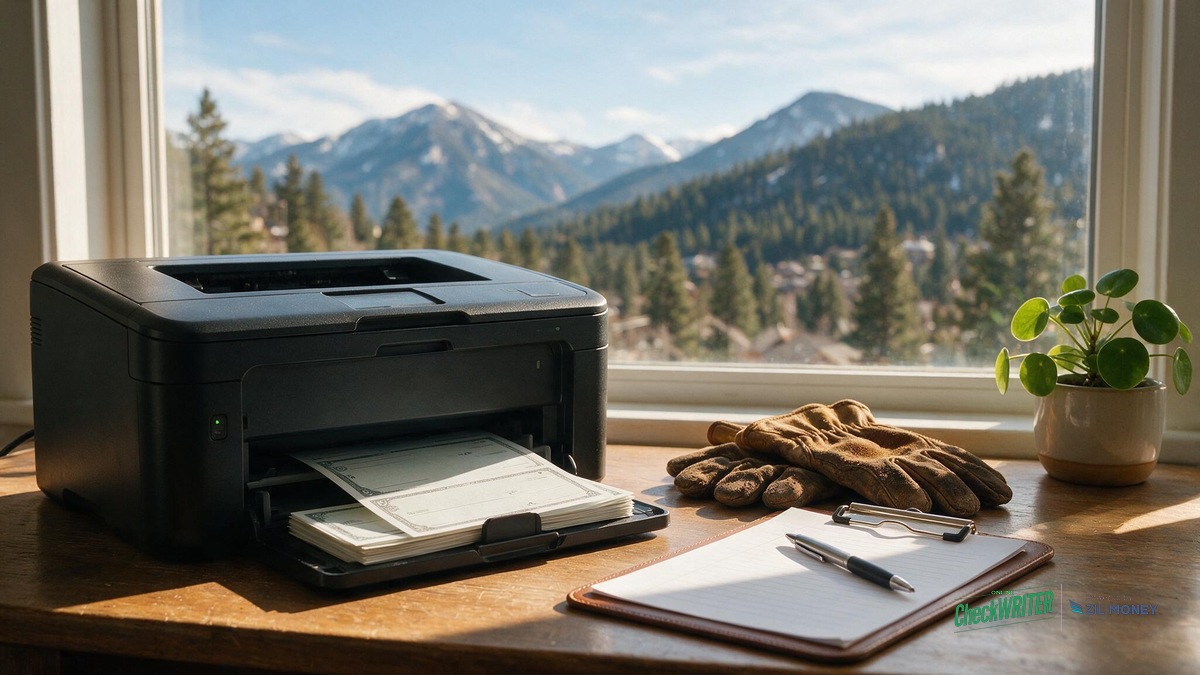
- A MICR-capable laser printer loaded with magnetic ink or toner, which is the part most businesses have to add. A standard office inkjet printer, or a laser printer loaded with ordinary non-magnetic toner, cannot produce a bank-compliant MICR number on blank check paper, no matter how sharp the print looks to the eye.
A landscaping company that already owns a MICR-capable laser printer and magnetic toner can print vendor and payroll checks in-house right away. One that does not will need to budget for that hardware, a one-time cost that gets offset over a season by no longer buying pre-printed checkbooks.
Pre-Printed Checkbooks vs. Printing In-House for a Seasonal Crew
A seasonal landscaping business feels the difference between these two approaches most sharply when the crew size swings, hiring up for spring and early summer, then scaling back in the fall.
| Situation | Pre-printed checkbook | Print in-house (MICR laser + blank stock) |
|---|---|---|
| Crew jumps from 4 to 14 for spring | Reorder more checks and wait on the mail | Print as many checks as the payroll run needs, same afternoon |
| A new hire starts mid-week | First paycheck waits for the next batch order or a manual bank check | Print that one check the same day, before direct deposit is set up |
| A checkbook is left in a truck | Every unused check number in that book is exposed until it is reported | Only the printed batch is affected; the design and account setup stay put |
| Crew scales back for fall/winter | Leftover pre-printed checks sit unused until the next season | Print only what that week’s smaller crew and vendor list need |
How Does This Work for Seasonal Crew Payroll Checks?
Picture a Friday before the spring mowing season ramps up. A Denver landscaping company owner sits down to run payroll for returning crew members, new seasonal hires who have not been added to direct deposit yet, and one irrigation subcontractor getting a separate check.
Example: 12 checks in one sitting, 8 returning crew, 3 new seasonal hires, 1 subcontractor
Instead of waiting on a bank to process a batch or driving to pick up a checkbook, the owner prints all twelve checks from the same blank check stock, in one sitting, with the subcontractor’s check numbered and coded separately from the W-2 crew’s checks for easier bookkeeping later. The new hires get paid on time even though their bank details have not made it into the payroll system yet, which matters more during a hiring wave than it does the rest of the year. The same setup also handles printing payroll checks on blank stock for the crew that already gets paid this way every pay period, so nothing about payday depends on how many pre-printed checks happen to be left in a drawer. Pair every printed paycheck with an itemized pay stub showing hours, rate, and deductions; Colorado and many other states require one each pay period, and it saves a crew member from having to ask what a check amount covers.
How Does It Work for Vendor and Supplier Payments?
A landscaping company’s supplier list is just as time-sensitive as its payroll: the mulch and soil supplier, the irrigation parts distributor, the equipment rental yard, and the fuel account. A delivery driver dropping mulch and soil for a job starting that afternoon often will not release the pallet without a check in hand. With the same design and MICR-capable printer already set up for payroll, that supplier check prints on the spot instead of being written by hand or ordered ahead of time. If a vendor is out of state or you would rather not hand off a check in person, checks can also be mailed directly from your account instead of printed at your own desk.
One Setup for Every Vendor Check and Every Payday
Set up a blank-stock check design once, then print vendor payments and seasonal payroll checks from the same account whenever a job or a payday needs one.
How Do I Print a Business Check Online, Step by Step?
- Log in to your OnlineCheckWriter.com account and open the check printing tool.
- Choose the bank account the check should draw from, if you have more than one connected.
- Enter or import the payee and amount, pulling from QuickBooks if you have it connected, for a vendor invoice or a crew member’s pay.
- Preview the check layout to confirm the amount, payee, and MICR line all line up correctly.
- Load blank check stock into a MICR-capable laser printer with magnetic toner, then print.
Checks you are not ready to print yet can be saved and printed later in the same batch as the rest of that day’s run.
Will a Bank Accept a Check I Printed Myself?
A bank looks for the same fields on any check, whether it came from a pre-printed checkbook or was printed in-house. Checks are negotiable instruments under state-adopted UCC Article 3 and 4, and federal rules layer on top of that for how banks handle funds availability and check collection; the Federal Reserve’s guide to Regulation CC covers that funds availability piece.
Printing your own checks also means you own more of the fraud-prevention work a bank or check printer used to handle for you. Enrolling in your bank’s Positive Pay program, which matches every check you issue against what actually clears, is the standard way businesses that print checks in-house catch an altered amount or a counterfeit check before it costs them money.
| Required field | Where it goes |
|---|---|
| Business name and date | Top of the check |
| “Pay to the order of” line | Payee name field |
| Boxed dollar amount and written-amount line | Right side and center of the check |
| Signature | Bottom right |
| MICR line (routing, account, and check number) | Bottom edge, magnetic ink or toner |
A check with a compliant MICR line meets the same standard banks already apply to any other check. Before running a full payroll batch, print one test check and confirm with your bank’s business services line that they are set up to accept it.
Frequently Asked Questions
Do I need special paper to print a business check?
Yes, blank check stock, not regular paper. It holds up to handling, keeps a consistent look, and takes the magnetic MICR line a bank’s scanner reads. Pre-printed checkbooks are not required.
Will an inkjet printer work for MICR check printing?
No. The routing and account number line has to be printed with magnetic ink or toner on a laser printer to be machine-readable at the bank. A standard inkjet printer cannot produce a compliant MICR line.
Can I print a check for a new seasonal hire before direct deposit is set up?
You can. Printing that one check on blank stock means a new crew member gets paid on schedule even before their bank details are added to your payroll system.
Is it legal to print your own business checks?
Yes, as long as the MICR line is encoded correctly. No banking law requires a business to buy pre-printed checks from a bank or check printer.
Does printing checks in-house work with QuickBooks?
It does. Connecting QuickBooks lets a vendor or payroll check pull payee and amount details from your existing records instead of retyping them for every check.
How do I keep vendor checks and payroll checks from mixing up?
Separate check number ranges or a memo-field job code for each type make it easier to sort vendor payments from crew payroll when you reconcile the books later.
What if a crew member loses a printed paycheck?
Place a stop-payment order with your bank on that check number first, then print a replacement. Voiding the check in your own records does not stop the bank from paying it if someone else tries to cash it.
What happens if my MICR line does not print correctly?
A bank’s scanner may reject or return the check instead of moving the money, which is inconvenient but not dangerous. Print a test check first, keep an eye on toner levels, and reprint if a line looks faint before it goes out to a vendor or a crew member.
A seasonal landscaping business does not have to choose between waiting on a checkbook order and scrambling to pay a crew by hand. Once the blank-stock design and a MICR-capable laser printer are set up, the same process covers a mulch supplier’s invoice in March and twelve payroll checks the Friday before the spring rush.
Stop Waiting on Checkbook Orders Before Payday
Print vendor and seasonal payroll checks on blank stock, from any connected bank account, whenever a job or a pay period needs one. Works with any bank that reads a standard MICR line.
OnlineCheckWriter.com – Powered by Zil Money, is a financial technology company and not a bank. Banking services are provided by our partner bank, Member FDIC. FDIC insurance applies only to eligible products associated with those that have funds held in accounts at the partner bank, subject to applicable limits and requirements.