
Print Checks Online, Any Printer, Any Bank Account
Create, customize, print, and mail self-printed business checks online, on any printer, using blank paper or check stock, with no special supplies needed.

On this page
Key takeaways
- Pre-printed checks expose your account details, printing on demand keeps them private.
- Self-printed checks are legal under the Check 21 Act and widely accepted at major US banks.
- No special printer, ink, or paper required, any standard laser or inkjet works.
- OnlineCheckWriter.com syncs with QuickBooks, Xero, and Zoho Books to pull check and payee data directly, no manual entry.
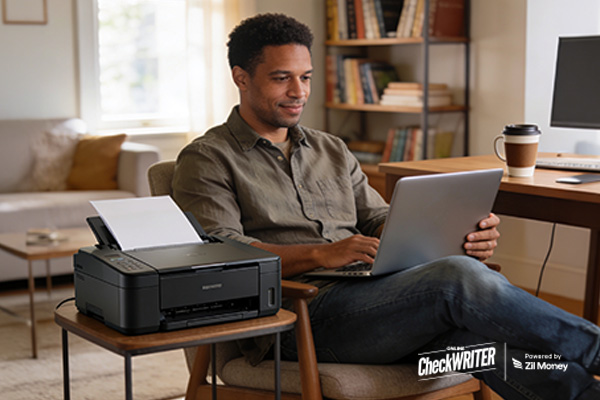
OnlineCheckWriter.com lets you print and mail business checks online, on blank paper, with any printer, without pre-printed stock. In many cases, ordering pre-printed checks is slow, expensive, and can also create security risks. With OnlineCheckWriter.com, you can create, customize, and print business checks in minutes, from your desk, on any printer, using blank paper or check stock.
In most cases, blank check stock costs much less than pre-printed checks. As a result, businesses can reduce printing expenses while also avoiding frequent reorders. In addition, businesses no longer need to wait for new check stock deliveries. Therefore, online check printing gives businesses more flexibility and better control over payment operations.
Why More Businesses Now Print Checks Online Instead of Ordering Pre-Printed Checks
Pre-printed checks are expensive, slow to reorder, and can create security risks. In many cases, businesses must wait days or even weeks for new check stock to arrive. In addition, because pre-printed checks contain bank account and routing numbers on every sheet, a lost or stolen box may expose sensitive account details. As a result, businesses may face unnecessary financial and operational risks.
However, with OnlineCheckWriter.com, businesses can print checks online instead of relying on pre-printed stock. Consequently, they can reduce printing costs, avoid reorder delays, and improve payment security more effectively. Businesses can also create and print checks whenever needed instead of waiting for new stock deliveries. Because of this flexibility, many businesses now prefer online check printing over traditional pre-printed checks:
Cost: Blank check stock typically costs significantly less than pre-printed checks. As a result, businesses print only what they need instead of ordering large batches in advance.
Speed: Businesses can create and print checks within minutes instead of waiting for external vendor shipments.
Security: Your sensitive banking details are never pre-printed on stock sitting in a supply closet. Self-printed checks are legal under U.S. banking law and the Uniform Commercial Code, provided they meet ANSI X9 standards for MICR encoding and check format. They are accepted by most US banks for standard processing.
Checks printed through OnlineCheckWriter.com are designed to be MICR-compliant, meeting standard US banking requirements. Bank acceptance may vary based on your financial institution’s policies.
How to Print Checks Online in 3 Steps
Create your account at no charge: Sign up at OnlineCheckWriter.com. It takes under two minutes.
Connect your bank and design your check: Link your US bank account via secure authorization. Add your company logo, choose fonts, and customize the layout with the drag-and-drop editor.
Print: After creating the check, businesses can print it using any standard laser or inkjet printer. In addition, the platform works with both blank check stock and plain white paper. Once printed, the check is ready to sign and send.
Check Types You Can Print Online
OnlineCheckWriter.com supports several common business and personal check formats:
Business checks, payroll, vendor payments, contractor payments
Personal checks, rent, utilities, one-off payments
Voucher checks, with attached stub for detailed recordkeeping
Three-to-a-page checks, maximize paper efficiency for high-volume printing
Wallet-size checks, for personal use
These are self-printed physical checks with MICR encoding, not ACH transfers or eChecks. You print and send them yourself, or use the check mailing service.
Compatible with Major US Banks and Your Accounting Software
OnlineCheckWriter.com is compatible with major US banks. After connecting a bank account through secure authorization, businesses can start printing checks within minutes. OnlineCheckWriter.com syncs with QuickBooks, Xero, Zoho Books, and other accounting platforms to pull your payee and check data directly, eliminating manual re-entry.
Customize Your Checks to Look Professional
OnlineCheckWriter.com lets you design self-printed checks that look professional, without the cost of a commercial print shop:
Company logo: Upload your logo and print it on every check.
Font and colors: match your brand.
Background images: add watermarks or design elements.
Signature image: add a saved signature for faster processing.
Checks are generated with MICR encoding, the magnetic characters at the bottom of checks that banks use for automated processing. Checks are designed to meet standard US banking requirements. Bank acceptance may vary by institution.
Bonus: Mail Checks Without Leaving Your Desk
Don’t want to print and mail yourself? OnlineCheckWriter.com offers a check mailing service. Upload your check details, click send, and OnlineCheckWriter.com prints and mails your physical check via USPS or FedEx. As a result, recipients receive a physical check with MICR encoding through standard mailing channels. Check mailing is available at competitive rates, see OnlineCheckWriter.com for current pricing.
Why Businesses Choose OnlineCheckWriter.com
- Businesses paying multiple vendors at once
- Payroll checks for remote employees
- One-off payments without access to a printer
- Businesses looking to avoid pre-printed check delays
However, many businesses still order pre-printed checks and wait days for delivery. Instead, with OnlineCheckWriter.com, businesses can design, print, and mail self-printed checks directly from their desk using blank paper and any standard printer. As a result, businesses can create and send payments faster without depending on pre-printed stock or outside vendors.
Additionally, the platform offers check mailing services at competitive rates. Because of this, businesses can manage both check printing and mailing from one place. At the same time, the process helps reduce delays and gives businesses more control over payment operations.
Conclusion
Ready to stop paying for pre-printed checks? Instead of waiting for external shipments, businesses can print checks whenever needed. In addition, businesses no longer need to store pre-printed check stock with exposed account details in office drawers or storage cabinets.
With OnlineCheckWriter.com, businesses can print self-printed business checks online using blank paper or check stock on any standard printer. As a result, businesses gain more control over check printing, reduce payment delays, and avoid depending on pre-printed stock deliveries.
Frequently Asked Questions
Can I legally print my own checks?
Yes. Self-printed checks are legal under U.S. banking law as long as they meet standard requirements for negotiable instruments under the Uniform Commercial Code and the ANSI X9 standards for MICR encoding. Most US banks accept them through standard check-clearing channels, though individual bank policies may vary.
Are these checks the same as eChecks or ACH transfers?
No. OnlineCheckWriter.com generates self-printed checks, also called digital checks, that businesses print and send as physical paper checks. Unlike ACH transfers or eChecks, these checks include MICR encoding and move through standard check-clearing channels. As a result, businesses can print checks online while still using the traditional paper check processing system.
Do I need special paper or ink?
No. Businesses can print checks on plain white paper using any standard laser or inkjet printer. In addition, blank check stock is available for businesses that want added security. However, using blank check stock is optional and not required for printing checks through OnlineCheckWriter.com.
Does OnlineCheckWriter.com work with QuickBooks?
Yes. OnlineCheckWriter.com syncs with QuickBooks Online and Desktop to pull payee and check data directly into the platform. As a result, businesses can print checks without manually re-entering payment information. In addition, the integration helps reduce data entry errors and speeds up payment processing.
Can I print checks on plain white paper without check stock?
Yes. OnlineCheckWriter.com generates the complete self-printed check layout, including MICR encoding, on plain white paper using any standard printer. As a result, businesses can print professional checks without relying on pre-printed stock. In addition, the platform supports both laser and inkjet printers for check printing.