

 ChatGPT
 Claude
 Grok
Grok
 Perplexity
 Gemini
Quick answer: Yes, you can print your own Wells Fargo checks instead of ordering a checkbook, but a downloadable template alone won’t do it. You also need blank check stock and your Wells Fargo routing and account number entered into check-printing software, which formats the bank-readable line for you. You don’t need a proprietary check-printing machine, but you do need a laser printer loaded with magnetic (MICR) toner. A standard inkjet printer cannot produce a bank-readable MICR line.
Key Takeaways
Can I Really Print My Own Wells Fargo Checks?
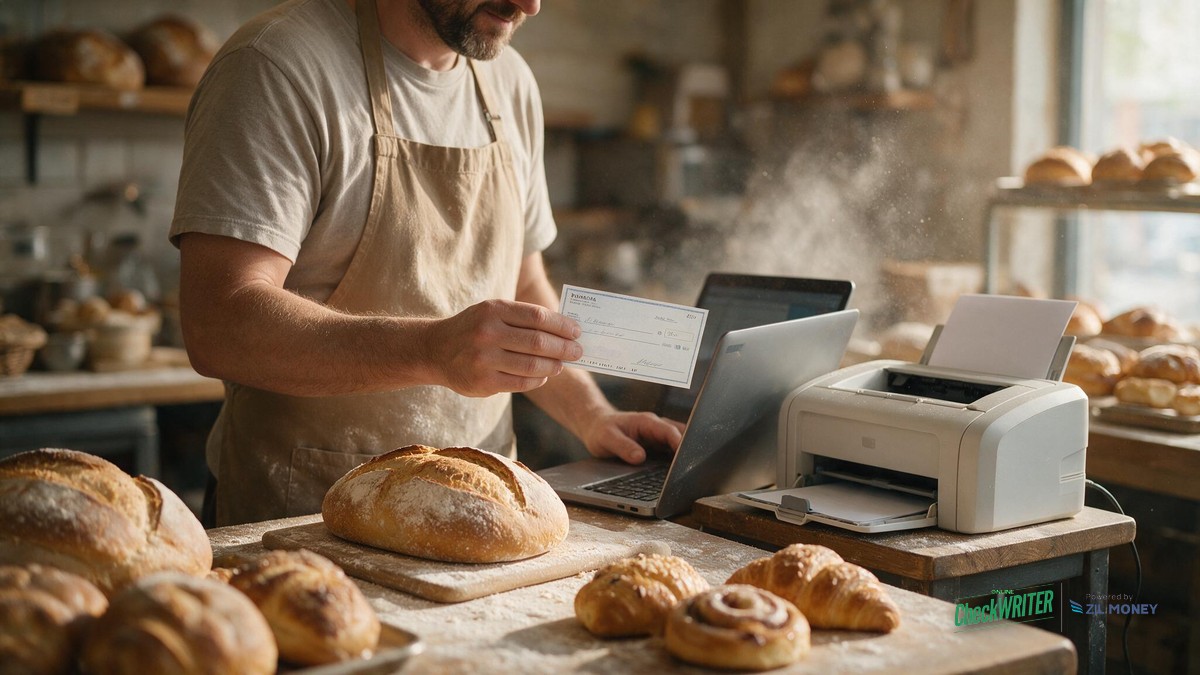
Yes. A family-owned bakery in Richmond, Virginia that uses Wells Fargo can print its own business checks on demand instead of waiting on a mailed checkbook order. What most “check template” searches miss is that a downloadable layout by itself doesn’t make a check bank-ready, the check also needs to be printed on the right stock, with the right kind of ink, before a bank will process it normally.
Why Isn’t a Template Alone Enough?
A check template controls what the check looks like: where the payee line sits, where the amount box is, where your bakery’s logo and signature line go. It does not control whether the numbers along the bottom of the check, your Wells Fargo routing number and account number, are printed in a way a bank’s equipment can actually read.
That bottom line uses MICR, magnetic ink character recognition, the standard banks use to machine-read the routing and account number. Getting the layout right on screen doesn’t guarantee that line is formatted correctly for a bank’s equipment to read. OnlineCheckWriter.com’s check-printing software formats the MICR line automatically once your account details are entered, but it still has to be printed with a laser printer loaded with MICR toner for the line to be magnetically readable.
What Do I Actually Need to Print a Wells Fargo Check?
- Your Wells Fargo routing and account number, found on a voided check or in your online account portal, entered once into your check-printing software.
- Blank check stock, not pre-printed paper, but stock designed for check printing.
- A laser printer loaded with MICR toner, this is required. A standard inkjet printer cannot produce a bank-readable MICR line. The software formats the routing/account line correctly once you print with a MICR-loaded laser printer, and this works the same way regardless of which bank your account is with.
- A check layout, your bakery’s name, logo, and signature line, matched to the standard fields a bank expects.
There’s no fee to print your own checks once your account is connected. If a vendor needs payment today and reordering a Wells Fargo checkbook would mean a multi-day wait, this is the difference between paying on time and missing a delivery.
| Order From Wells Fargo | Print Your Own | |
|---|---|---|
| Speed | Mailed, multi-day wait | Same-day, on demand |
| Cost | Per-order fee for a fixed quantity | Cost of blank check stock you already control |
| Control | Fixed reorder quantity, fixed design | Print the exact number needed, edit the layout anytime |
Does This Work With Any Bank, or Just Wells Fargo?
The same setup works with any US bank account, Wells Fargo included. You’re not buying a Wells Fargo-branded product, you’re entering your own account’s routing and account number into a check layout you control, then printing it on compliant stock. Switching banks later just means updating those numbers.
How Do I Set Up Wells Fargo Check Printing?
- Create an OnlineCheckWriter.com account and add your Wells Fargo business account, entering the routing and account number from a voided check or your online account portal.
- Choose a check layout and add your bakery’s logo and signature.
- Load blank check stock into your laser printer loaded with MICR toner.
- Print a single test check first, and confirm the MICR line prints clearly before running a full batch.
- Print checks on demand from then on, whenever a vendor or payroll check comes due.
Print a Wells Fargo Check the Same Day You Need It
Stop waiting on a mailed checkbook order. Enter your Wells Fargo account once, print on blank check stock with a MICR-ready laser printer, and pay a vendor or your crew the same day.
Frequently Asked Questions
Is a Wells Fargo check template enough on its own?
No. A template only controls layout. You also need blank check stock and check-printing software that formats the routing and account line correctly so it’s bank-readable.
Can I use my regular office inkjet printer?
No. Check printing needs a laser printer loaded with magnetic (MICR) toner, since the routing and account number line has to be magnetically readable for a bank’s equipment. A standard inkjet printer cannot produce a compliant MICR line.
Does this only work for Wells Fargo accounts?
No. The same setup works with any US bank account. You enter your own routing and account number, so switching banks later just means updating those details.
What is MICR and why does it matter?
MICR stands for magnetic ink character recognition, the standard banks use to machine-read the routing and account number line on a check. OnlineCheckWriter.com’s software formats this line automatically, but it still has to be printed with a laser printer loaded with MICR toner, a standard inkjet printer cannot produce a compliant MICR line.
Are there fees to print my own checks?
There’s no separate per-check fee to print your own checks once your account is set up. You’re covering the cost of blank check stock yourself, same as any office supply, on top of your OnlineCheckWriter.com plan.
How do I know my routing and account number is entered correctly?
Enter both numbers directly from a voided check or your online account portal, then print a single test check first and confirm the MICR line before running a full batch.
Can I add my bakery’s logo to the check?
Yes. Upload your logo once when you set up the check layout, and it appears on every check you print from that account afterward.
What if I need a check today and can’t wait on a printer setup?
You can have a check mailed instead of printing it yourself, which skips owning a printer at all while still avoiding a full checkbook reorder.
A Richmond bakery paying a flour supplier or a part-time baker doesn’t need to keep reordering Wells Fargo checkbooks and waiting on the mail. Once the account is entered and the MICR line is confirmed on a test check, printing your own Wells Fargo checks becomes a same-day task instead of a multi-day one. See how designing your own check template works alongside positive pay fraud protection for extra peace of mind on every check you write.
Never Wait on a Checkbook Order Again
Set up your Wells Fargo account once, confirm the MICR line, and print a bank-ready check whenever your bakery needs one, no mailed order, no waiting.
OnlineCheckWriter.com – Powered by Zil Money, is a financial technology company and not a bank. Banking services are provided by our partner bank, Member FDIC. FDIC insurance applies only to eligible products associated with those that have funds held in accounts at the partner bank, subject to applicable limits and requirements.