
Print Business Checks Online on Blank Check Stock
Create custom business checks for vendor payments, payroll, refunds, rent, and other company expenses. Enter or import the payment details, choose a check layout, review the information, and print the check from your office.
OnlineCheckWriter.com – Powered by Zil Money is a cloud-based check printing platform. Print individual checks or complete payment batches using a compatible office printer. You can also choose check mailing when a recipient needs a physical check delivered.
- Add your company name, logo, and payment details
- Create one check or import multiple payments
- Use supported accounting and payroll integrations
- Add user roles and approval steps
- Print checks or choose USPS and FedEx mailing
OnlineCheckWriter.com - powered by Zil Money, is a financial technology company, not a bank. Banking and money movement services are provided through partner financial institutions and licensed service providers. FDIC insurance coverage applies only to eligible deposit products and accounts, and is subject to applicable terms, conditions, limitations, and requirements. Additional information regarding partner institutions, products, and services is available in the applicable terms and agreements.
Learn More About Business Checks






View the Interactive Demo ⬇
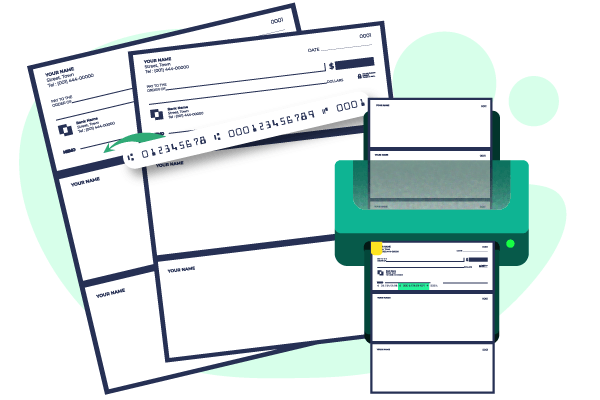
Create Business Checks Without Ordering Pre-Printed Checkbooks
Pre-printed business checks already contain your company and bank-account information. Businesses with several accounts may need a separate supply for each account, layout, and check-number range.
With OnlineCheckWriter.com, you can prepare a check when a payment is approved. Select the authorized account, enter or import the payment information, review the completed check, and print it on blank check stock.
This business check printing workflow can support companies that:
- Pay vendors and contractors by check
- Print payroll or reimbursement checks
- Issue customer refunds
- Use multiple business accounts
- Require payment approval before printing
- Process several checks during each payment cycle
- Need the option to print checks or have them mailed
Blank check stock does not display your company and account information until the check is printed.
How Business Check Printing Works

1. Select the Business Account
Choose the authorized business account the payment will draw from. Review the company name, routing number, account number, and check-number sequence. Only create checks from an account you are authorized to use.

2. Enter or Import the Payment
Add the payee, payment amount, issue date, memo, and other required information. For multiple payments, upload a supported CSV file or import payment data through an available accounting or payroll integration.

3. Choose a Business Check Layout
Select an available check template that fits your payment process. Add your company name, address, logo, authorized signature, and supported design elements. Save the approved layout for future payments.

4. Review and Approve the Check
Confirm the payee name, numeric and written amounts, issue date, business account, routing and account numbers, check number, memo, authorized signature, and mailing address. When approval controls are enabled, send the check to the assigned reviewer before it is issued.

5. Print or Mail the Check
Print the approved check on appropriate blank check stock using a compatible office printer, or choose an available USPS or FedEx mailing option. Plan charges, service charges, postage, tracking, and carrier fees may apply.
TRUSTED BY MILLION PLUS USERS
Support Positive Pay Workflows
A mismatch in the check number, amount, or available payee information may be flagged for review. OnlineCheckWriter.com can help prepare issued-check records for supported Positive Pay workflows.
Availability, file formats, matching fields, submission methods, deadlines, and exception decisions depend on the financial institution and account setup. Learn more about Positive Pay.
Our Features AP/AR
OnlineCheckWriter.com - Powered by Zil Money offers a wide range of payment features to make your business transactions secure and flexible. Now you can pay and receive payments with the easy-to-use software and dive into the journey.

Check Printing
Create and print business checks at your office desk with a drag and drop design.

ACH
Pay or get paid one-time or recurring ACH/RTP with low transaction fees.
Integration
Integrate with the top third-party applications.

Pay Bill
Pay Bills Online, Schedule them, Manage suppliers, and reduce risk.

Payments by Credit Card
Now pay by credit card even if they don't accept them.

Wire Transfer
Transfer money electronically from one financial institution to other.

Deposit Slips
Create & print the deposit slip of any Bank. Keep track & auto reconcile it.

Invoicing
Create invoice to your customer and send link through email.
Cloud Bank
Open an online checking account with no hidden charges.
Email Check
Send your checks as a one-time printable pdf with a tracking facility.

Payment Link
Create an HTML form or link to receive payments.

User/Approver
Give access to accountant or clients with a role based user and approval process.
Overnight Check Mailing
Overnight Check mailing without leaving your desk. We print and mail it by FedEx.

Digital Checks
Digitize your paper checks and make your payments via email or text.

Bank Data
Connect & reconcile, Categorize from Any Financial Institution automatically.

API/White Label
Interactive developer-friendly API. Complete white label solution.
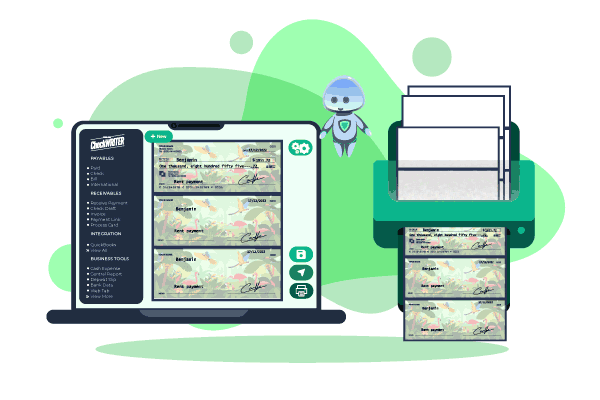
Check Template
- Choose from templates for business, personal, payroll, and premium checks
- Keep the payee, amount, date, check number, signature, and MICR line clear
- Review the print preview after changing the design
- Save the approved template so your team can reuse it for future payments
Tools for Creating and Managing Business Checks
Create an individual check or import multiple payments for a vendor run, payroll cycle, reimbursement batch, or customer refund program.
Print One Check or a Full Batch
Batch check printing can help your team:
- Import several payees and payment amounts
- Review payment details before printing
- Apply check numbers in sequence
- Print approved checks in one session
- Reduce repeated data entry
- Keep related payment records together
Review every imported payee, amount, account, check number, and mailing address before submitting the batch.
Import Payment Data
OnlineCheckWriter.com supports integrations with accounting and payroll platforms such as:
- QuickBooks Online
- QuickBooks Desktop
- Xero
- Zoho Books
- Zoho Payroll
- Bill.com
- Zapier
Available fields, connection methods, synchronization options, and plan requirements may differ by integration. Review the specific integration before relying on a particular import, export, or synchronization workflow.
Add User Roles and Approvals
Assign access based on each team member’s responsibilities. Available controls can help determine who may:
- Create checks
- Edit payment information
- Access selected accounts
- Review payments
- Approve checks
- Use an authorized signature
- Print checks
- Submit checks for mailing
- View payment records
Your business remains responsible for confirming the payee, payment amount, account information, user access, and authorization before issuing a check.
Track Issued Checks
Keep a digital record of checks created through the platform. Check records can help your team review:
- Payees
- Payment amounts
- Issue dates
- Check numbers
- Selected accounts
- Printing status
- Mailing status
- Voided checks
Use these records during payment reviews, follow-ups, and account reconciliation.

MULTIPLE FEATURES, ONE PLATFORM

CONNECT ANY BANK, PREVENT FORGERIES
USE CREDIT CARD TO MAKE PAYMENTS
Customize Checks With Your Company Details
Add your company name, address, logo, authorized signature, and supported design elements to an available business check layout. With this platform, you can:
- Add your company name, address, logo, authorized signature, and supported design elements
- Keep the payee, amount, date, check number, signature, and MICR line clear
- Review the print preview after changing the design
- Save the approved template so your team can reuse it for future payments
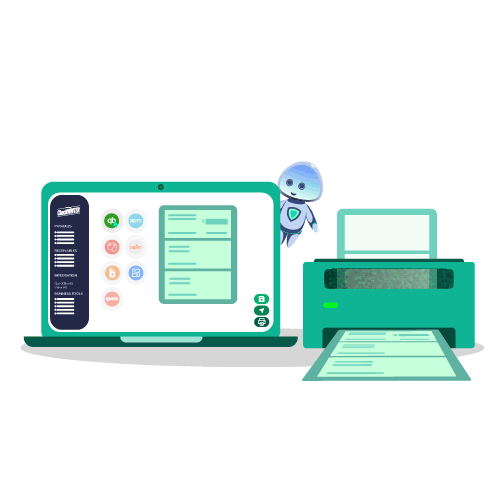
What Paper and Printer Do You Need?
Use blank check stock that matches the selected layout and a compatible office printer.
Before printing a live check:
- Confirm the required paper and check format with your financial institution.
- Verify the routing number, account number, and check number.
- Print an alignment test.
- Review the MICR line and payment fields.
- Confirm that the logo and signature do not cover required information.
- Keep unused check stock and printed checks in a controlled location.
Printer, paper, toner, MICR, alignment, deposit, and processing requirements may differ by financial institution and account setup. Do not assume that every printer, paper type, or check layout will work for every account or deposit method.
Learn more about blank check stock.

Easy To Access
Instant Access To Your Account Anywhere, Anytime.

High Security
Secured With Encryption, Fraud Detection, and Infrastructure.

Easy Payment
Efficiently Transfer Funds To Where They're Needed.
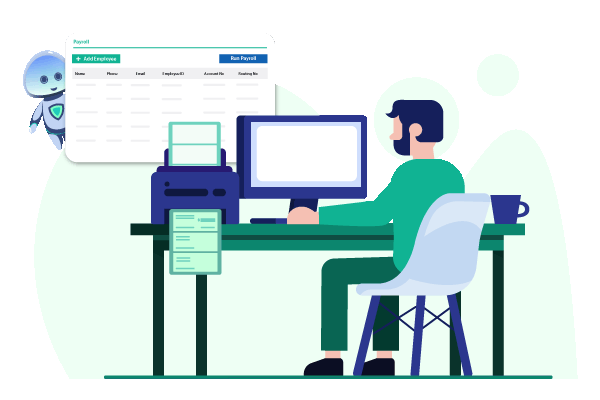
Write A Check for Payroll
- Import payroll data directly from accounting software
- Enter payroll details and print checks on blank stock paper
- Send eChecks to employees via email or SMS for quick payment delivery
Print Business Checks for Different Payment Needs
Vendor and Contractor Payments
Create checks for invoices, inventory, professional services, repairs, rent, and other approved business expenses. Save recurring payee information so your team can prepare future payments without entering every detail again.
Payroll and Employee Payments
Create payroll checks using entered or imported payroll information. Review employee names, payment amounts, deductions, issue dates, signatures, and check numbers before printing.
Customer Refunds
Issue checks for refunds, account credits, rebates, claims, and other amounts owed by the business. Add a memo, invoice number, or customer reference to help the recipient identify the payment.
Rent and Property Expenses
Create checks for landlords, property owners, maintenance providers, contractors, utility companies, and other property-related recipients.
Employee Reimbursements
Print checks for approved travel costs, supplies, mileage, training, and other documented employee expenses.
Print Checks in Your Office or Choose Check Mailing
Choose the delivery method that fits the payment and recipient.
| Option | Best for | What happens |
|---|---|---|
| Print one check | A payment needed at your location | Review and print the check on appropriate stock |
| Batch printing | Multiple vendor, payroll, or refund payments | Import and review several checks before printing |
| Check mailing | A recipient who needs a physical check | OnlineCheckWriter.com prints, prepares, and submits the check to USPS or FedEx |
| Tracked mailing | Payments that need an available tracking option | Select an eligible service and review tracking information in the platform |
Mailing services, submission times, postage, tracking, carrier charges, and estimated delivery windows depend on the selected option. Review current service details before submitting a check for mailing.
Business Check Printing vs. Ordering Pre-Printed Checks
Both methods can produce business checks, but they support different workflows.
| Factor | Print Through OnlineCheckWriter.com | Order Pre-Printed Checks |
|---|---|---|
| Account information | Added when the check is created | Printed on the stored check |
| Multiple accounts | Select an approved layout for the account | Store separate account-specific checks |
| Company or account changes | Update the saved information before printing | A new check order may be required |
| Availability | Print after the payment is prepared and approved | Wait for production and delivery |
| Batch payments | Import approved payment data where supported | Depends on the accounting and check format |
| Design changes | Update the saved template | Select options during a new order |
| Mailing | Print locally or choose a mailing option | Prepare and mail the check yourself |
| Cost factors | Plan, check stock, printer supplies, and mailing | Quantity, design, accessories, and shipping |
The right option depends on your check volume, number of accounts, approval process, accounting workflow, printer setup, and mailing needs.
View Plans and Check Mailing Rates
Compare current plans, included check-printing features, user access, integrations, and applicable mailing charges before selecting an option.
The total cost may depend on:
- Selected plan
- Included check-printing features
- Number of users
- Accounting integrations
- Blank check stock
- Printer ink or toner
- Mailing service
- Postage and carrier charges
- Tracking options
- Other applicable service fees
FREQUENTLY ASKED QUESTIONS
What is business check printing?
Business check printing is the process of creating company checks from an authorized business account when a payment is due. The business enters or imports the payee and amount, reviews the check, and prints it on appropriate check stock. Some platforms also support batch printing, approvals, accounting integrations, and check mailing.
Can I print my own business checks?
Yes. You can create business checks using authorized account information, an appropriate check layout, blank check stock, and a compatible printer. Review the payee, amount, date, routing number, account number, check number, and signature before printing. Confirm your financial institution’s paper, MICR, layout, and processing requirements before issuing live checks.
What printer and paper should I use?
Use blank check stock that fits the selected layout and a compatible office printer. Print an alignment test before using live check stock. Confirm that the MICR line, payee, amount, signature, and check number appear in the correct locations.
Do I need MICR ink or toner?
MICR requirements may depend on the printer setup, check stock, financial institution, and processing method. Confirm the required MICR configuration with your financial institution before issuing checks from a new printing setup.
Can I add my company logo to a business check?
Yes. Add your company logo and other supported design elements to an available check template. Position the logo so it does not reduce the readability of the payee, amount, date, signature, check number, or MICR line.
Can I print multiple business checks at once?
Yes. Import multiple payments through a supported CSV file or accounting integration and prepare them as a batch. Review every payee, amount, account, issue date, check number, and mailing address before printing or mailing the batch.
Can my team approve checks before printing?
Yes. Available user permissions and approval settings can require selected checks to be reviewed before printing or mailing. Assign access based on each user’s responsibilities, account access, and approval authority.
Can OnlineCheckWriter.com print and mail checks?
Yes. Create and review the check, then choose an available USPS or FedEx mailing option. OnlineCheckWriter.com prints, prepares, and submits the check to the selected carrier. Charges, submission times, tracking, and delivery estimates depend on the selected service.
Create Your Next Business Check Online
Create one check or import a payment batch. Add your business and payment details, review the check, and choose whether to print it from your office or have it mailed.
You will love OnlineCheckWriter. We are sure.
We are confident to offer a 15-day free trial.
No credit-card required for free trial.
Trial period comes with full features: unlimited checks, bank accounts, users/ employees, etc.

REVIEWS FROM ESTEEMED CUSTOMERS
I use Online Check Writer daily and I am satisfied that I selected that product

Danylo
Customer Support Lead at bafood
The practicality and ease of printing new checks. The platform is simply amazing. I can do everything, without having to travel to the place and having to spend hours in the online service.
Vanessa Silvestrin
Sales Manager at Crefisa
From the practicality and ease of being able to print new checks. The platform is simply incredible. I can do everything online, without needing to go anywhere and having to wait hours for service.
Karla
Administrative assistant at Sabin Medicina Diagnóstica