
Design Checks Online for Business or Personal Use
Choose a check template, add your business or personal information, upload your logo, and customize the layout with OnlineCheckWriter.com – powered by Zil Money.
Create check layouts for vendor payments, payroll, contractors, accounts payable, reimbursements, and personal payments. Adjust supported fonts, colors, backgrounds, and layout elements, then preview the completed check before printing.
OnlineCheckWriter.com - powered by Zil Money, is a financial technology company, not a bank. Banking and money movement services are provided through partner financial institutions and licensed service providers. FDIC insurance coverage applies only to eligible deposit products and accounts, and is subject to applicable terms, conditions, limitations, and requirements. Additional information regarding partner institutions, products, and services is available in the applicable terms and agreements.






Design a Check in Four Steps
1. Choose a Check Template
Select an available layout for a business, personal, payroll, vendor, contractor, or accounts payable check.
Review the templates and choose the format that matches your payment purpose.
2. Add Your Information
Enter the payer name, address, authorized account information, check number, date, payee name, payment amount, memo, and signature where required.
Review each field before continuing.
3. Customize the Layout
Upload a company logo where the selected template supports it.
Adjust available fonts, colors, backgrounds, text alignment, and supported visual elements. Keep account and payment information clear and readable.
4. Preview Before Printing
Review the completed layout on screen.
Confirm that the account information, payment fields, logo, text, and signature appear in the correct positions. Print one test copy before producing additional checks.
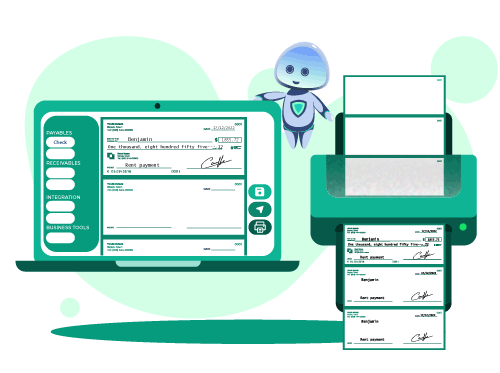
Our Features AP/AR
OnlineCheckWriter.com - Powered by Zil Money offers a wide range of payment features to make your business transactions secure and flexible. Now you can pay and receive payments with the easy-to-use software and dive into the journey.

Check Printing
Create and print business checks at your office desk with a drag and drop design.

ACH
Pay or get paid one-time or recurring ACH/RTP with low transaction fees.

Integration
Integrate with the top third-party applications.

Pay Bill
Pay Bills Online, Schedule them, Manage suppliers, and reduce risk.

Payments by Credit Card
Now pay by credit card even if they don't accept them.

Wire Transfer
Transfer money electronically from one financial institution to other.

Deposit Slips
Create & print the deposit slip of any Bank. Keep track & auto reconcile it.

Invoicing
Create invoice to your customer and send link through email.

Cloud Bank
Open an online checking account with no hidden charges.

Email Check
Send your checks as a one-time printable pdf with a tracking facility.

Payment Link
Create an HTML form or link to receive payments.

User/Approver
Give access to accountant or clients with a role based user and approval process.

Overnight Check Mailing
Overnight Check mailing without leaving your desk. We print and mail it by FedEx.

Digital Checks
Digitize your paper checks and make your payments via email or text.

Bank Data
Connect & reconcile, Categorize from Any Financial Institution automatically.

API/White Label
Interactive developer-friendly API. Complete white label solution.
Design Business Checks That Match Your Brand
Custom business checks can present your company information in a consistent format.
Add your business name, address, logo, and supported brand colors. Use similar fonts, colors, and logo placement across vendor, payroll, contractor, and accounts payable checks.
Keep the design clean. The payer, payee, amount, date, account information, and signature should remain easier to notice than decorative elements.
A clear business check design helps recipients identify who sent the payment and review the payment details.
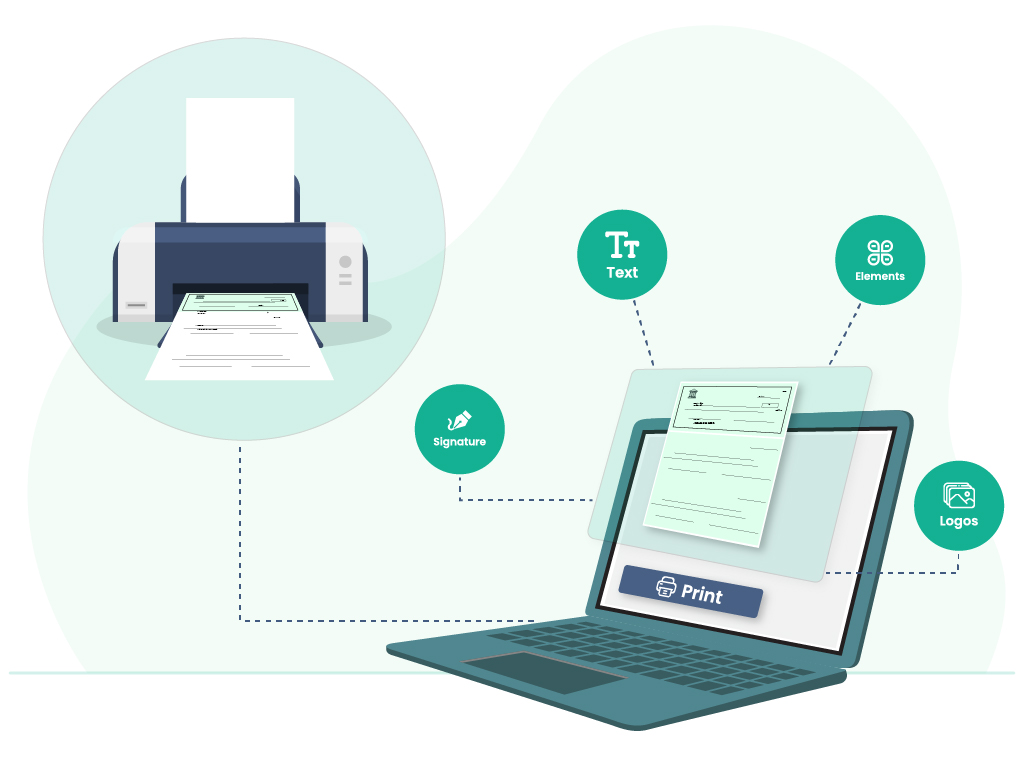
Customize Your Check Design
Add the required information and adjust supported design elements based on the selected template and account settings.
Add Your Business or Personal Information
Enter your business name or personal name, address, contact information, and other supported payer details.
Confirm that the information matches your current records and authorized account.
Upload Your Company Logo
Add a clear company logo where the selected template supports it.
Keep the logo away from routing numbers, account numbers, payment amounts, signatures, and other required fields.
Use a high-quality image that remains clear when printed.
Choose Fonts and Colors
Adjust supported font styles, text sizes, colors, and alignment.
Use readable fonts and maintain strong contrast between the text and background.
Add a Background
Choose or upload a supported background image where available.
Avoid dark graphics, heavy patterns, and images that make payment information difficult to read.
Adjust the Layout
Review the position of the business name, address, logo, payee, amount, memo, check number, account details, and signature.
Make sure no element overlaps another field or extends outside the printable area.

MULTIPLE FEATURES, ONE PLATFORM

CONNECT ANY BANK, PREVENT FORGERIES

USE CREDIT CARD TO MAKE PAYMENTS

Easy To Access
Instant Access To Your Account Anywhere, Anytime.

High Security
Secured With Encryption, Fraud Detection, and Infrastructure.

Easy Payment
Efficiently Transfer Funds To Where They're Needed.
What Information Should a Check Include?
The required information may vary by financial institution, authorized account, and check type.
A check commonly includes:
- Payer name
- Business or personal address
- Bank name
- Routing number
- Account number
- Check number
- Payment date
- Payee name
- Numerical payment amount
- Written payment amount
- Memo
- Authorized signature
Review every field before printing.
Incorrect account information, misspelled names, mismatched payment amounts, or missing details may delay the payment or require the check to be issued again.
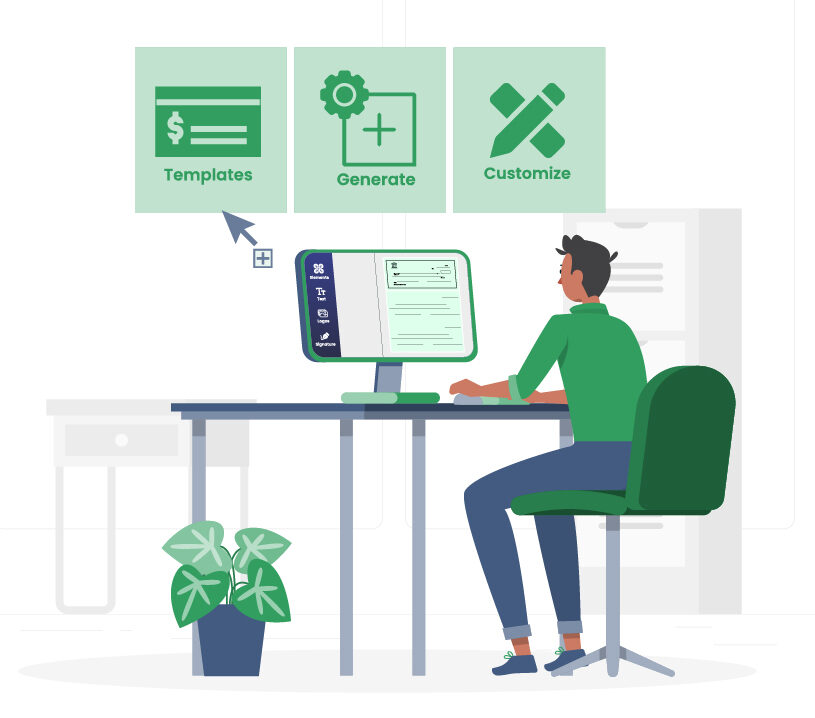
Preview the Check Before Printing
A preview helps identify incorrect information and layout problems before the check is produced.
Review the following details:
- Payer name and address
- Bank and account information
- Routing and account numbers
- Check number
- Payee name
- Payment date
- Numerical amount
- Written amount
- Memo
- Signature
- Logo clarity
- Font size
- Text alignment
- Background contrast
Compare the Payment Amounts
Confirm that the numerical amount matches the written amount.
Correct any mismatch before printing.
Review the Payee and Date
Check the spelling of the payee name and confirm the payment date.
Compare the information with the invoice, payroll record, or payment request.
Check the Logo and Background
Make sure the logo does not cover banking or payment information.
Confirm that the background provides enough contrast for the check details.
Print a Test Copy
Print one test copy before producing multiple checks.
Compare the printed check with the on-screen preview. Review the alignment, spacing, contrast, and readability.
Correct any issue before printing additional checks.
Business Check Design Tips
Use these guidelines when designing business checks:
- Use clear, readable fonts.
- Keep the background light and uncluttered.
- Maintain strong contrast between text and background.
- Use a clear company logo.
- Keep branding away from banking and payment fields.
- Confirm the business and payee names.
- Verify routing and account numbers.
- Compare the numerical and written amounts.
- Confirm the date, memo, check number, and signature.
- Print a test copy before producing several checks.
Avoid oversized logos, decorative fonts, low-resolution images, and backgrounds that compete with payment information.
Have another authorized team member review a new business check design before it is used.
Business Checks vs. Personal Checks
Business and personal checks serve different payment purposes, but both should clearly display the required payer, account, and payment information.
Business Checks
Business checks may include the company name, business address, logo, authorized account information, payment details, memo, and signature.
They may be used for vendor payments, payroll, contractors, reimbursements, invoices, and other approved business expenses.
Personal Checks
Personal checks commonly include the account holder’s name, address, authorized account information, payee name, payment amount, date, memo, and signature.
Available templates and customization options may vary based on the selected check type and account settings.
Check Design vs. Blank Check Printing
Check design and blank check printing are related, but they answer different needs.
Check design focuses on choosing a template, adding payer and payment information, applying supported branding, and adjusting the layout.
Blank check printing focuses on printing the completed design on compatible blank check stock using an appropriate printer and printing setup.
This page focuses on designing and customizing checks.
Visit the Blank Checks page for information about blank check stock and printing.
FREQUENTLY ASKED QUESTIONS
Can I Design My Own Checks Online?
Yes. OnlineCheckWriter.com - powered by Zil Money provides templates and supported customization tools for creating business or personal check layouts. You can add payer details, authorized account information, payment information, and a logo where supported.
Can I Design Business Checks Online?
Yes. You can design business checks for vendors, payroll, contractors, accounts payable, reimbursements, and other approved business payments. Choose an available template, add your information, customize supported design elements, and preview the layout before printing.
What Information Should a Check Include?
A check commonly includes the payer name, address, bank information, routing number, account number, check number, date, payee name, numerical amount, written amount, memo, and authorized signature. Requirements may vary by financial institution, authorized account, and check type.
Can I Add My Company Logo to a Check?
A company logo can be added where the selected template supports it. Use a clear image and keep it away from account details, payment amounts, signatures, and other required fields.
Can I Change the Font, Color, and Background?
Supported templates may allow you to adjust fonts, colors, alignment, and background elements. Use readable fonts and avoid placing graphics behind banking or payment information.
Can I Design Custom Bank Checks Online?
People sometimes use “design custom bank checks” to describe creating checks with information from an authorized bank account. OnlineCheckWriter.com supports customizable check layouts using authorized account details. It does not issue cashier's checks or create checks on behalf of a bank.
Can I Create Business and Personal Checks?
The platform provides business and personal check design options, depending on the available templates, features, and account settings.
Should I Preview the Check Before Printing?
Yes. Review the payer information, account details, payee name, payment amount, date, signature, logo, alignment, and background contrast. Print a test copy before producing additional checks.
Can I Update a Check Design Later?
Supported design elements may be updated when your business name, address, logo, branding, authorized account information, or personal details change. Review and test the revised layout before using it.
Can I Print the Design on Blank Check Stock?
A completed design may be printed using supported check stock and a compatible printing setup. Visit the Blank Checks page for more information about blank check stock and printing.
Design Your Check Online
Choose a template, add your business or personal information, customize the supported design elements, and preview the completed layout before printing.
Create a clear check layout for business or personal payments.
Already have an account? Log In
REVIEWS FROM ESTEEMED CUSTOMERS
Here are some precious reviews from our customers. We are pledged to make your life simple with all our features.


Frank Czar
Bimal Daftari

Travis Copeland
Frank Czar
Bimal Daftari