

 ChatGPT
 Claude
 Grok
Grok
 Perplexity
 Gemini
Key Takeaways
- When you design a check online, you control the layout, logo, and fields instead of accepting a fixed preprinted format.
- Ordering preprinted checks locks your design in place and makes every change slow.
- OnlineCheckWriter.com, powered by Zil Money, lets you design a check online and print it on blank stock.
- You can add your business logo, adjust the fields, and reuse the design across multiple accounts.
- The same platform also supports digital checks and emailed checks when paper is not needed.
You want to design a check online because a preprinted book rarely matches how your business looks or works. That is a fair ask. A generic check format shows the fields, but it does nothing for your branding, your layout preferences, or the details that change over time. OnlineCheckWriter.com, powered by Zil Money, is check printing software that lets you design the check once, save it, and print on plain stock whenever you need one.
The Real Problems With Preprinted Check Designs
Checks are still part of business payments. The Association for Financial Professionals found that 91% of organizations still use checks, as reported by the Federal Reserve. If checks are part of how you pay, the design you print them from is worth control.
One design, no changes. A preprinted book fixes your layout the day you order it. If anything about your business shifts, the box does not follow.
Rebranding means reordering. New logo, new address, or a new look means a fresh order and another wait. The old boxes go to waste.
The wait slows you down. A design change cannot go out until the printed stock arrives. Your checks are stuck on the print shop’s timeline.
Every account needs its own box. Run more than one account, and each one needs its own preprinted design. The drawer fills up fast.
Mistakes are locked in. A wrong detail on the printed stock means the whole box is off, with no quick way to fix it.
No room for your logo. Many preprinted formats leave little space to show your brand the way you want.
“Design the check once, print it your way, and update it whenever your business changes.”
How to Design a Check Online With OnlineCheckWriter.com
Each step below answers a problem above, not a feature list.
- Open your account. Add your business details once, with no preprinted order and no waiting.
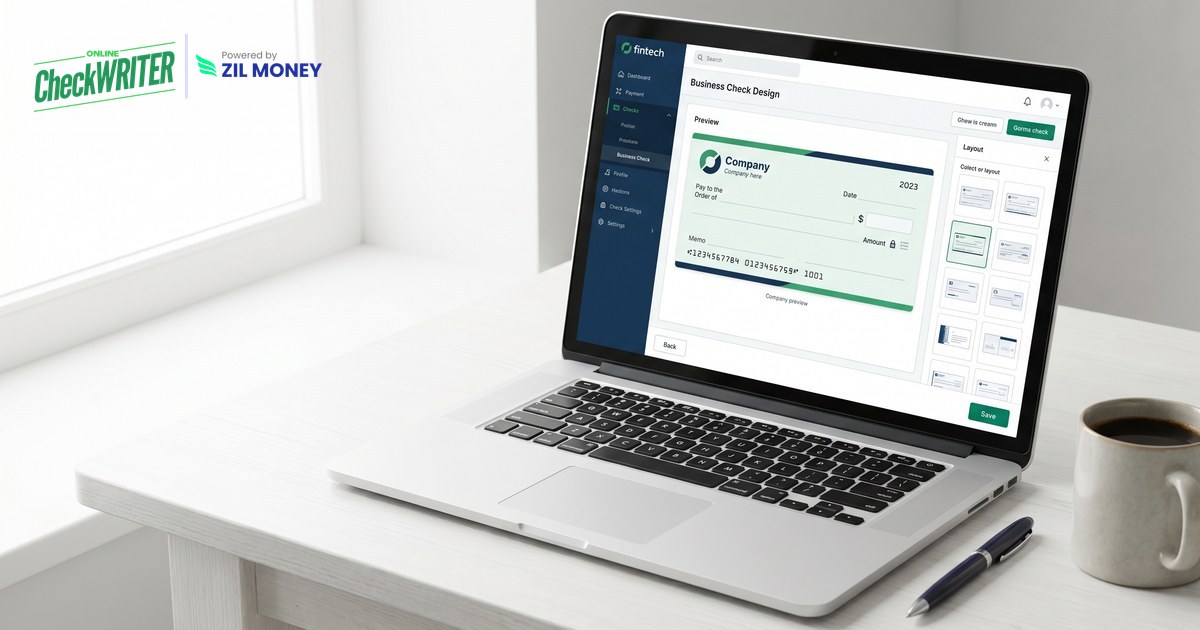
- Start from a layout. Open the tool to design a check online and pick a business, payroll, or personal check template to build on.
- Add your logo and details. Place your business logo, name, and address so every check prints on brand.
- Adjust the fields and fonts. Line up the payee, amount, and memo fields the way you want, then save the design for reuse.
- Print on blank stock. Print your design on plain blank check stock with a laser printer and magnetic (MICR) toner, so the check scans reliably at the bank.
- Reuse it or go digital. Apply the same design across accounts, or send it as digital checks and emailed checks when paper is not needed.
Stuck With a Check Design You Cannot Change?
Design your check online once, add your logo, and print it on blank stock for any account.
Why a Custom Check Design Matters
A check is a document with your name on it, so how it looks reflects your business. A consistent, on-brand check reads as professional to the vendors and customers who receive it, and a design you own can change the moment your business does.
The point is control. Instead of ordering a fixed format and hoping it still fits next quarter, you keep the design in your hands and print on demand. Getting started online is quick.