

 ChatGPT
 Claude
 Grok
 Perplexity
 Gemini
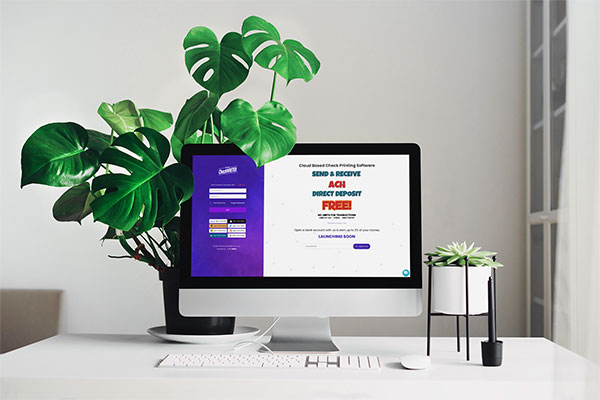
The process of paying the employees without creating any paper checks is called paperless paychecks. The concept of paperless paychecks offers many features that are highly beneficial for business owners irrespective of the size of the business. OnlineCheckWriter.com – Powered by Zil Money provides easy and economical methods of paying the employees through paperless paychecks. Nowadays, it is commonly seen that the employees usually avoid direct deposit of payment onto their account, and hence the demand for paperless paychecks is on the rise.
Click Here For Interactive Demo ⬇
Online Check Writer
Key figures
1M+
online business accounts
88B+
transaction volume
16M+
checks processed

How paperless paychecks are created?
OnlineCheckWriter helps the employer to pay e-checks instantly. These digital checks are created and are sent to the mail of the employees. The process of sending digital checks to the employee can be done anywhere and is free of cost. Initially, the integration of Onlinecheckwriter with QuickBooks is the first step for this. Once getting logged into the global accounting software-QuickBooks, the user can select OnlineCheckWriter. The payroll checks that are created using the QuickBooks can be printed with OnlineCheckWriter once it is integrated. As payroll checks are recurring checks, these check templates can be saved every month, and the process can be done every month without any hassles.
What are the advantages of sending paperless paychecks?
One major advantage of sending paperless paychecks is that it saves the time of the employer. There are otherwise so many processes involved while paying an employee using checks. Firstly the checks have to be designed and created. In the next step, all these checks should be printed using a printer and check papers. The availability of check paper has to be done before this step. If direct deposits are done to the employee’s bank account, then the confirmation must be received. A pile of paper checks will be found at the manager’s desk, which makes things quite hectic.
Hence, it is easy to send paperless-pay checks-digital checks to the employees’ mail so that they can use them whenever needed. The safety offered by paying digital checks is much more than handing over paper checks or cash. There is a chance that they will misplace the check or the cash, and there are many other security factors involved. Sending a digital check is one solution to all these issues.
Another major merit of paying employees with paperless payroll checks is that it will help accounting purposes. There will be no complications involved, and it will enhance the easiest method of accounting procedure.

Who chooses paperless payroll checks?
Those employees who are against direct cash deposits to their accounts prefer paperless payroll checks. Managing a heap of paper checks on the desk is confusing, which can be avoided by providing paperless payroll checks. Direct cash deposit to the bank account incurs a particular free, which can be avoided by this process.